Appearance
Licensing and activation
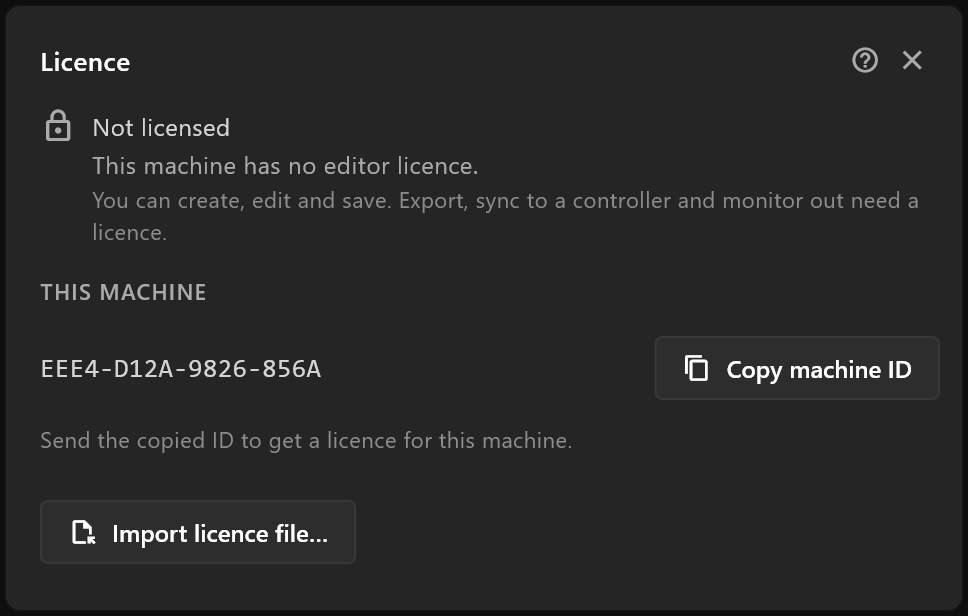
airZ Editor needs a licence for the machine it runs on to export, send graphics to a controller and use monitor out. Without one, everything else works.
What works without a licence
You can create, edit and save documents, and everything in the editor works. Three things need a licence for this machine:
| Without a licence | |
|---|---|
| File › Export .riv… | Dim, with a lock, and reads Export .riv… (needs a licence) |
| File › Sync to controllers… and Controllers… | Dim, with a lock |
| View › Monitor out… | Dim, with a lock, and reads Monitor out… (needs a licence) |
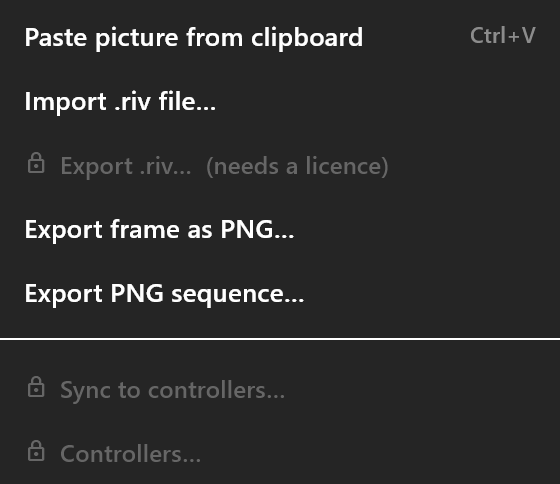
Clicking one of them, or pressing Ctrl+E, opens the Licence window instead. The top bar shows Unlicensed, with a lock; click it to open the Licence window too.

Getting a licence
A licence belongs to one machine. To get one:
- Open File ▸ Licence… (
Ctrl+L). Under THIS MACHINE is its ID. - Click Copy machine ID, and send the ID to airZ.
- airZ installs the licence for you, or sends you a licence file. To install a file yourself, click Import licence file… and choose it.
The window then says Licensed to your name, and Valid until the day it ends. From two weeks before that day, it counts down: "It ends in 5 days."
The licence is kept on the machine and checked there, so the editor needs no internet connection for it. One import licenses every Windows user on that machine, and the licence stays when airZ Editor is updated, or uninstalled and installed again. It is tied to the machine's hardware: after Windows itself is reinstalled, import the same licence file again. It does not work on another machine: a new machine needs a licence of its own.
When a licence stops working
The locks come back, the top bar shows Unlicensed again, and the Licence window and the chip's tooltip say why:
| The editor says | What to do |
|---|---|
| The editor licence expired on … | Ask airZ for a new licence |
| The editor licence starts on … | Wait for that day: the licence is not valid yet |
| The editor licence is for another machine | Ask airZ for a licence for this machine's ID |
| The licence here is for airZ Controller, not the editor | Import the editor's licence file, not the Controller's |
| The licence file is damaged or was changed after it was issued | Ask airZ for the file again |
| This computer's clock is behind the last time the editor ran | Set the computer's clock right |
| This machine's ID could not be read | Contact airZ |
Remove licence takes the licence off this machine, for every Windows user on it, after asking: "Remove this licence? Export will lock."
Other people's software inside airZ Editor
airZ Editor includes software from other authors under their own licences. The full list, with each licence, is in the file THIRD_PARTY_NOTICES.txt in the airZ Editor folder.
Fonts in your documents
A font you put in a document travels with it — to a colleague, to a controller, to the playout server. Whether you may pass a font on is up to its licence. The template card and preflight warn when a document carries a commercial typeface, and Fonts says more.