Appearance
Sync to controllers
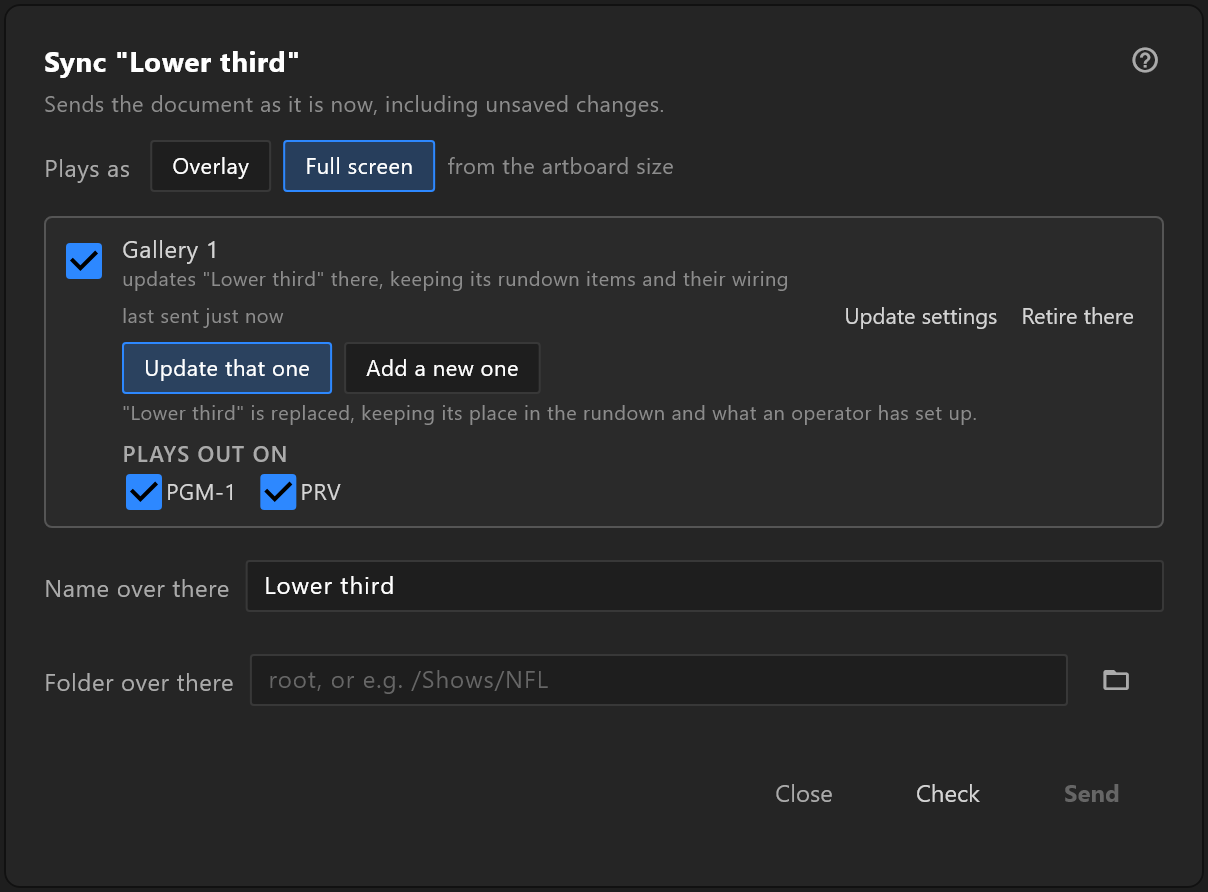
Sending a graphic to the control rooms that play it. It asks each controller what would happen first, and tells you, room by room, before anything changes.
File › Sync to controllers…. Pair with a controller first, in Controllers; with none, the window offers Add a controller….
What it does
It sends the document as it is now, including unsaved changes. Each controller you tick receives it as a template, the thing its operator puts in a rundown and plays.
Three promises:
- It asks first. Check asks each controller what a send would do, and the controller writes nothing while answering.
- It says what will happen to each controller separately. A template that is already there is updated and keeps its place in the rundown; one that is not is added.
- It never reports one result for several rooms. Each controller's line says what happened there.
If preflight has findings, they are listed at the top, with "Sending is allowed; the controller will take it as it is." They are worth reading before a graphic goes to a room.
Use it
- Choose Plays as: Overlay (over the programme) or Full screen. The editor suggests one from the artboard's size, and says "from the artboard size" while it is only a suggestion.
- Tick the controllers to send to. Each line says what would happen there.
- Under PLAYS OUT ON, tick the engines of that controller that should play it. The names are the controller's own.
- Check Name over there — what the operator will see in their list. It starts as the document's name and cannot be empty: "Give it a name before sending."
- Choose Folder over there: type a path such as
/Shows/NFL, or pick one of that controller's folders with the folder button. Empty is the root. - Press Check, read each line, then Send.
What each line says
| The line reads | What it means |
|---|---|
| updates "Lower third" there, keeping its rundown items and their wiring | This document was sent there before; sending replaces it in place |
| new here | Nothing of this document is there yet; sending adds it |
| adds a second template there | You chose Add a new one |
| not paired — pair with it in File ▸ Controllers… | Pair again before sending |
| asking what would happen… · sending… | Working |
| Updated "Lower third" there · Added "Lower third" there | Done |
| did not go | It failed; the reason is under it, with Retry |
Under the name: last sent just now (or when), or already there.
Update, or add a new one
When a template of this document is already on a controller, two buttons decide what a send does:
| Button | What it does |
|---|---|
| Update that one | Replace what is over there. It keeps its place in the rundown and what an operator has set up |
| Add a new one | Leave what is over there alone and add a second template beside it |
When the editor does not know of one, update one already there… lets you point at a template on that controller yourself. From then on, "this document updates that template on its own."
"This controller cannot say where it will land." means an older controller that cannot answer Check in advance: the send still works.
After it is sent
Two buttons on a controller's line act on the template already there, without sending the graphic again:
- Update settings changes only where it plays out and whether it is an overlay: "Now full screen there, playing out on PGM-1".
- Retire there takes the template out of that controller's library. It asks first:
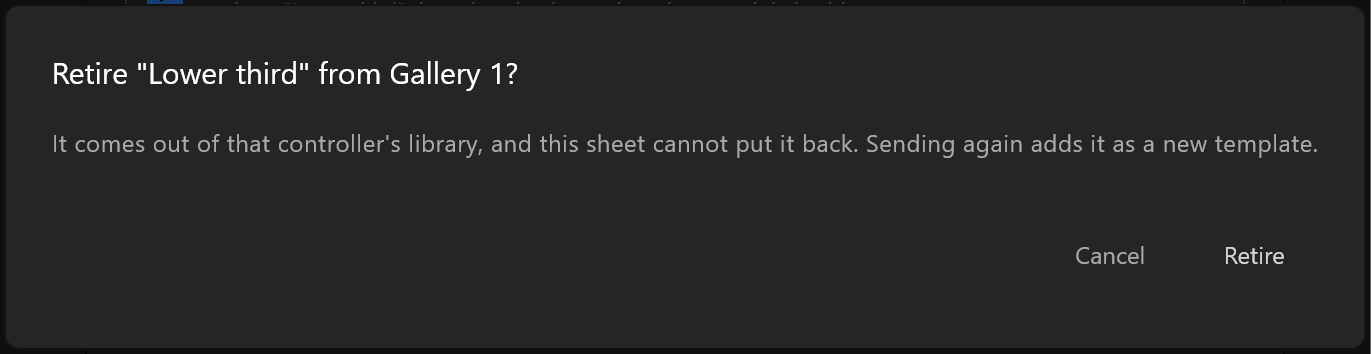
The question names the template and the controller: "It comes out of that controller's library, and this sheet cannot put it back. Sending again adds it as a new template." Cancel or Retire. The controller may answer that it kept the template because a rundown still uses it; the line shows its answer.
If someone changed where a template plays out from the controller's own screen while this window was open, the line says so rather than overwriting it.