Appearance
Joystick
A joystick turns a position into time: move its handle, and a timeline plays to the matching moment. Two axes, two timelines — a head that turns left and right and looks up and down.
Choose Joystick from the bolt tool group. It appears on the stage as a square with a handle, and on the Hierarchy. It is never drawn in the graphic.
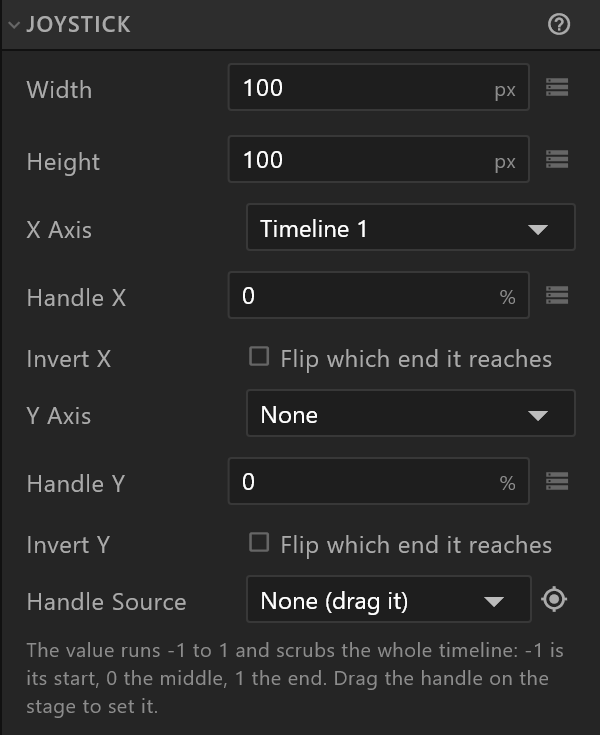
Set it up
- Make the timelines first, in Animate mode: say Look left-right, keyed from looking fully left at its start to fully right at its end.
- Select the joystick and pick that timeline for X Axis. Until an axis has a timeline, the panel warns: "Pick a timeline for X or Y — until then this joystick moves nothing."
- Drag the handle on the stage. The timeline follows.
Its rows
| Row | What it does |
|---|---|
| Width, Height | The size of the square the handle travels in |
| X Axis, Y Axis | The timeline each direction drives, or None |
| Handle X, Handle Y | Where the handle is, from -100% to 100%. -100% is the timeline's start, 0 its middle, 100% its end. Each can be keyed or bound |
| Invert X, Invert Y | Flip which end it reaches: the handle's left drives the timeline's end |
| Handle Source | An object whose position is the handle. Pick it here or with the target button beside it. With a source, Handle X / Y become read-only and say where the value comes from; move the source, not the handle |
The note under the rows says the same in a sentence: "The value runs -1 to 1 and scrubs the whole timeline…"
Something the viewer drags
Give the joystick a handle source, and the joystick follows wherever that object goes — including where a viewer drags it, when a listener with an Align Target action moves it to the pointer.