Appearance
Live sources
A graphic can carry live pictures — a camera, a clip, another channel — in a slot you design around. The control system says what fills it on air.
Slots
A slot is a picture object whose picture is not fixed. You design with a placeholder in it — test bars, or a still — and at playout the control system fills it with a live source.
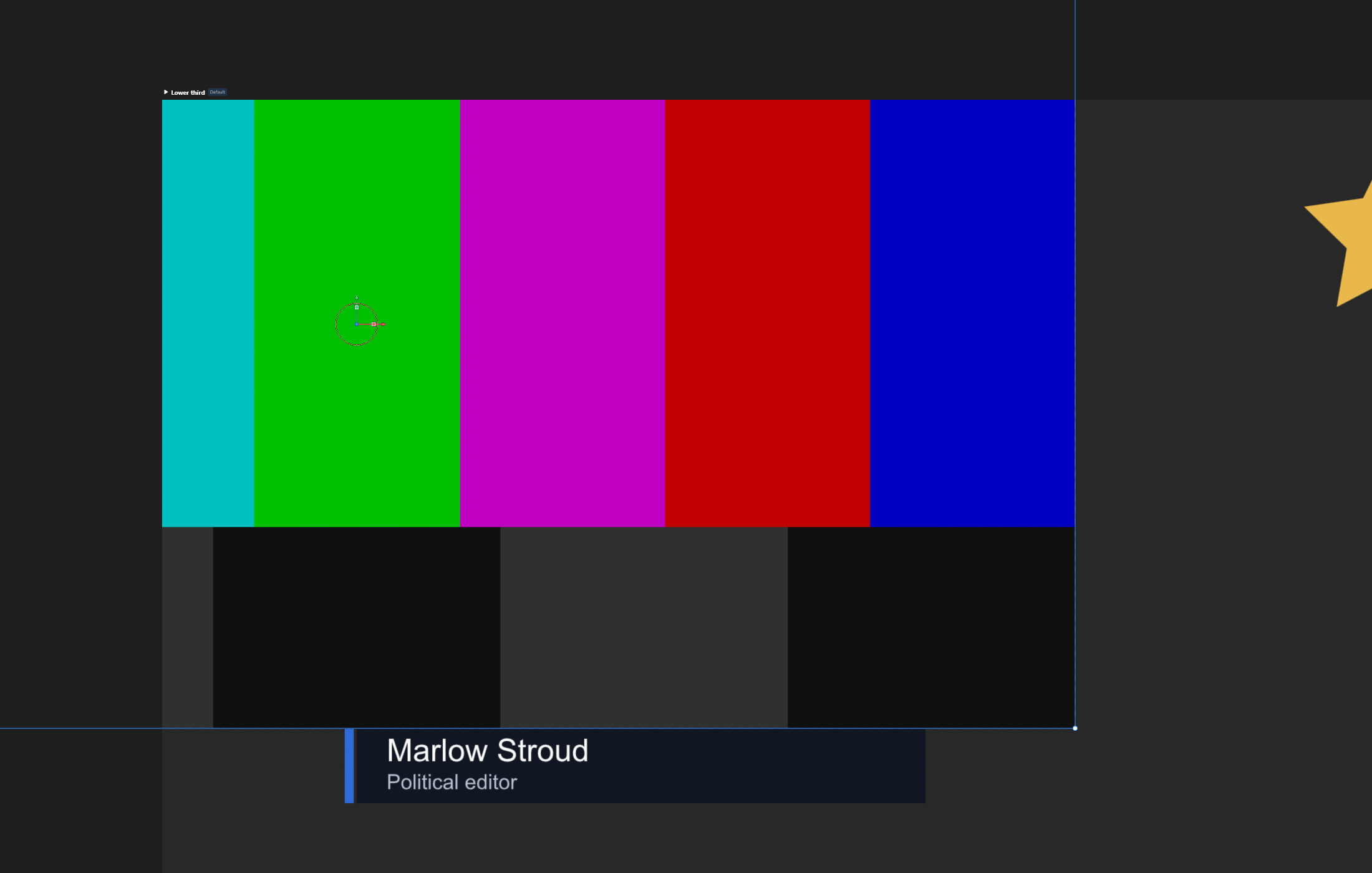
Behind every slot is an image property in the Data panel: the slot is bound to it, and filling the property is filling the slot. Two kinds:
| Kind | Made with | For |
|---|---|---|
| Live input | + › Live input | A camera or line coming into the playout server — Input 1 to Input 4 |
| Live video | + › Live video | A clip on the playout server, or another channel of it |
A still picture can fill a slot too: it is resized to the placeholder's size.
Inputs travel; ports stay with the machine
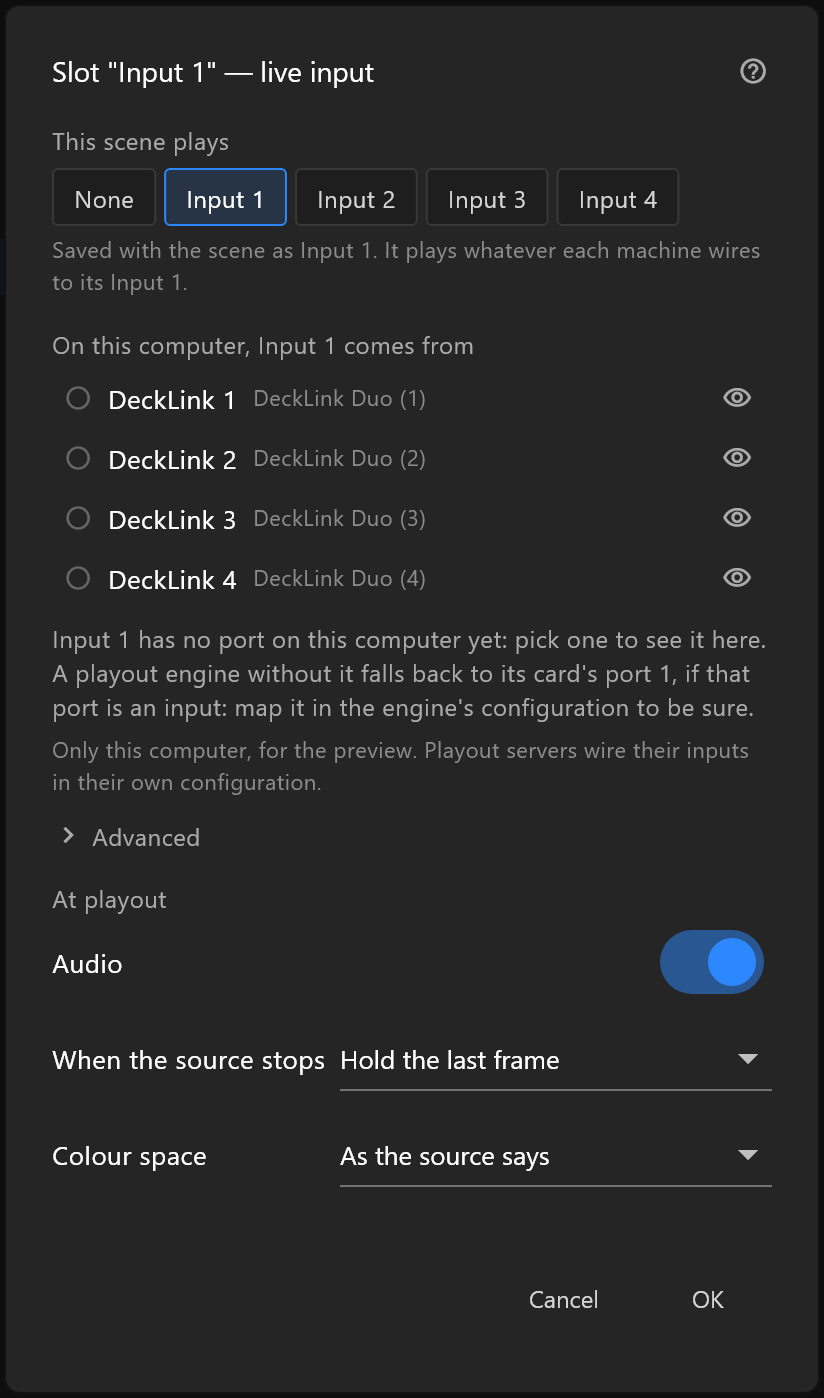
A scene saves which input it plays — Input 1 — and nothing about which card or port that is. Each machine wires its own: the playout server in its configuration, this computer in the dialog, only for the preview. The same document plays the same way in every gallery that has an Input 1.
When the source stops
A feed can drop out. Each slot says what it shows then: its last frame, its placeholder, or black — the When the source stops row. See Data panel › Live inputs.
Live pictures at their own size
A live source plays at its own resolution, whatever the placeholder's size; the placeholder gives the slot its shape and what is seen when nothing is connected. A graphic with live slots waits for every slot to have a picture before it shows, so it never comes on half-filled.