Appearance
Naming properties
The names in the Data panel are the names everyone else uses. The operator reads them in the rundown, and the control system addresses them. Choose them once, for those people.
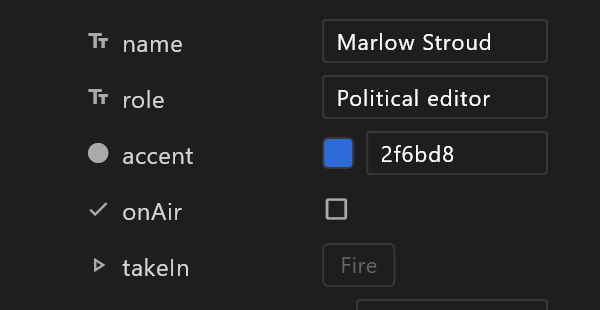
Names are the interface
A graphic's view model is everything the graphic lets someone change: its properties, each with a name and a type. Outside the editor, the names are all anyone has to go on:
- The operator sees each name as a field in the controller:
name,role,score. - The control system sends values by name:
nameis "Jane Doe". - Anything wired in a rundown stays wired by name. Rename a property and the wiring over there points at a name that no longer answers.
Good names
| Instead of | Write | Why |
|---|---|---|
text1, text2 | name, role | The operator has no picture of your artboard |
Number 3 | homeScore | Say what it counts |
show | onAir | A true/false reads as a question with a yes or no answer |
Headline Text (main) | headline | Short, no spaces or brackets, so it can be typed into a command |
Settle on a house style — camelCase is the usual one — and keep to it across graphics. A controller that fills name in one lower third can fill it in the next one without anyone rewiring anything.
Names inside names
A property can hold another view model: a Team with name, score and colour, used once as home and once as away. The control system addresses the inner properties with a slash:
home/name home/score away/name away/scoreThe Data panel shows them nested. Outside the editor they are these paths.
Rows of a list
A list is addressed by position, counting from 0: results[0]/name is the first row's name, results[3]/votes the fourth row's votes. The playout server adds rows as values arrive for them.
Give a list at least one item
The server makes new rows from the list's first item. A list with no items in the document cannot grow on air. Add one item in the Data panel, even if it is only a placeholder.
Names that mean something
A few names carry a meaning of their own:
| Name | What it means |
|---|---|
input1, input2, … | A live input slot. The number is the input it plays. Made with + › Live input |
video1, video2, … | A live video slot, for a clip or a channel. Made with + › Live video |
next | A trigger fired by the Next command, for graphics that step through pages. See Triggers and events |
A live slot's name is its role, so the editor never renames it. What you type over it is a label for you. See Live video slots.
Only what the operator should touch
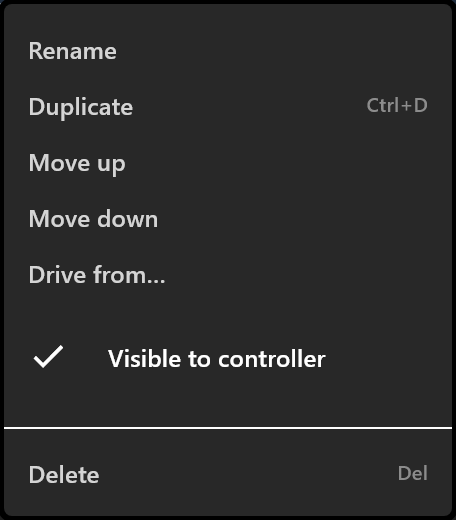
Every property starts Visible to controller. Untick it, in the property's right-click menu, for anything the operator should not see: a value a converter uses in between, a colour that belongs to the design, a flag the Animation States set for themselves. The property still works inside the graphic. Its row is drawn dimmed, and it is left out of bindings.json and of what a sync sends.
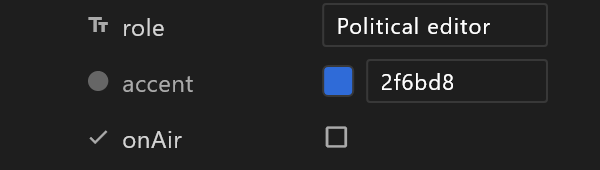
The controller also reads the graphic itself, and today it lists every property it finds there, ticked or not. See The controller.
Renaming later
Renaming is one click, but a graphic that has already been synced is wired by the old name. The editor says so as you rename:
Renamed "Score" to "Points". The controller this was synced to binds by name, so anything wired to "Score" over there stops filling until it is pointed at the new name, or this is synced again.
Rename before the first sync if you can. After it, sync again straight away and tell the operator.