Appearance
Video or camera slot
A box in the graphic where live pictures play — a camera, a remote guest, a clip — filled by the control system on air.
The idea is in Live sources. This is how to make one.
1. Make the live property
In the Data panel, on the artboard's view model, + › Live input for a camera or a line into the playout server, or + › Live video for a clip or another channel. It is named input1 and shows as Input 1 (or video1, Video 1). The steps below follow a live input.
2. Place the slot
Choose the Video slot in the top bar and click on the stage. It places a 640 × 360 slot showing test bars and binds it to the live property you just made — the one image property nothing else is showing yet. (With none free, it makes a plain one called Video 1 instead; with several, bind the slot's Source to the one you want from its inspector.)
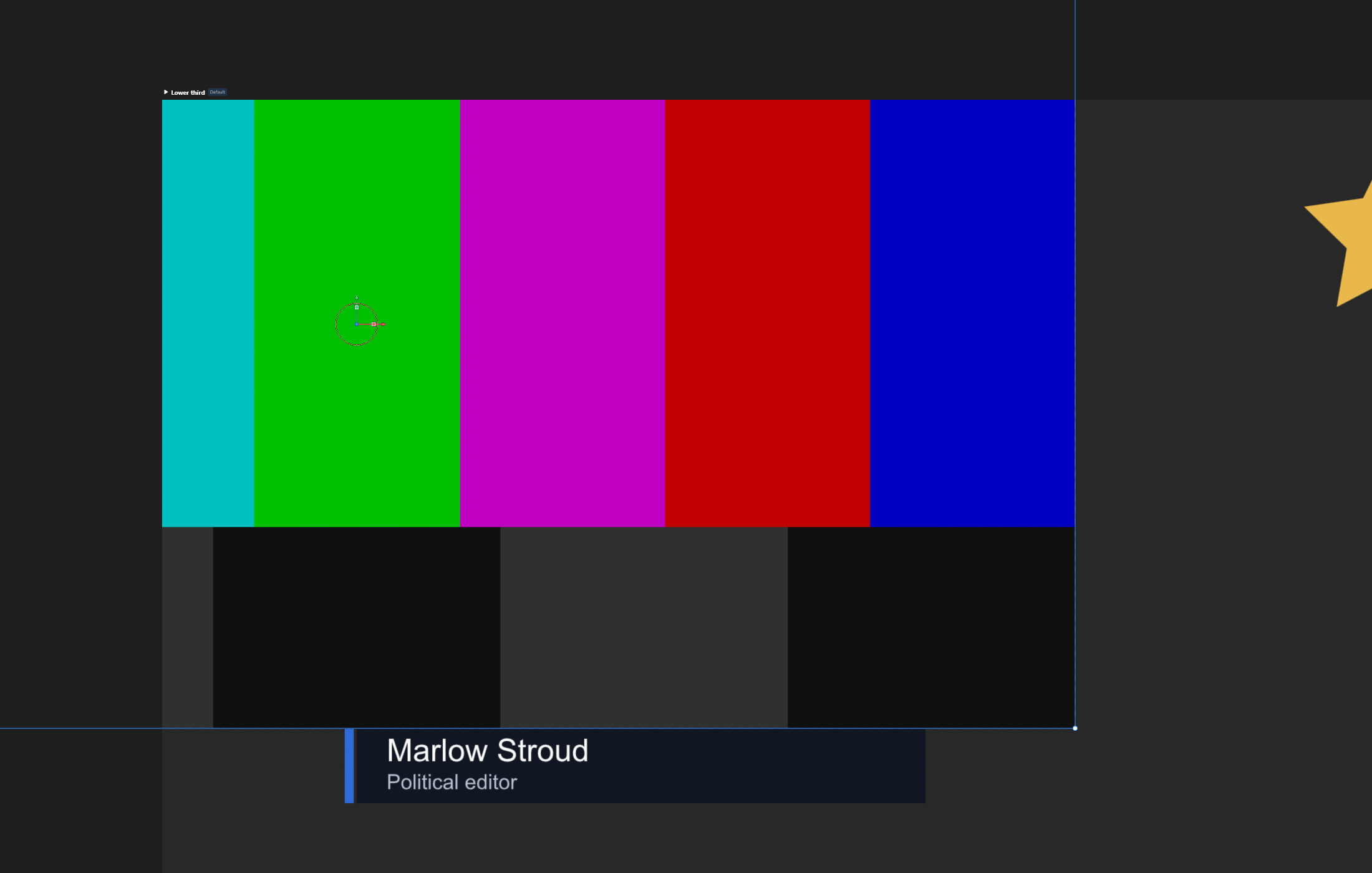
Move and size it like any picture. Put it inside a group with a frame, or give it a mask, as the design needs.
3. Say what fills it
Click the settings icon at the start of the Input 1 row in the Data panel to open its dialog.
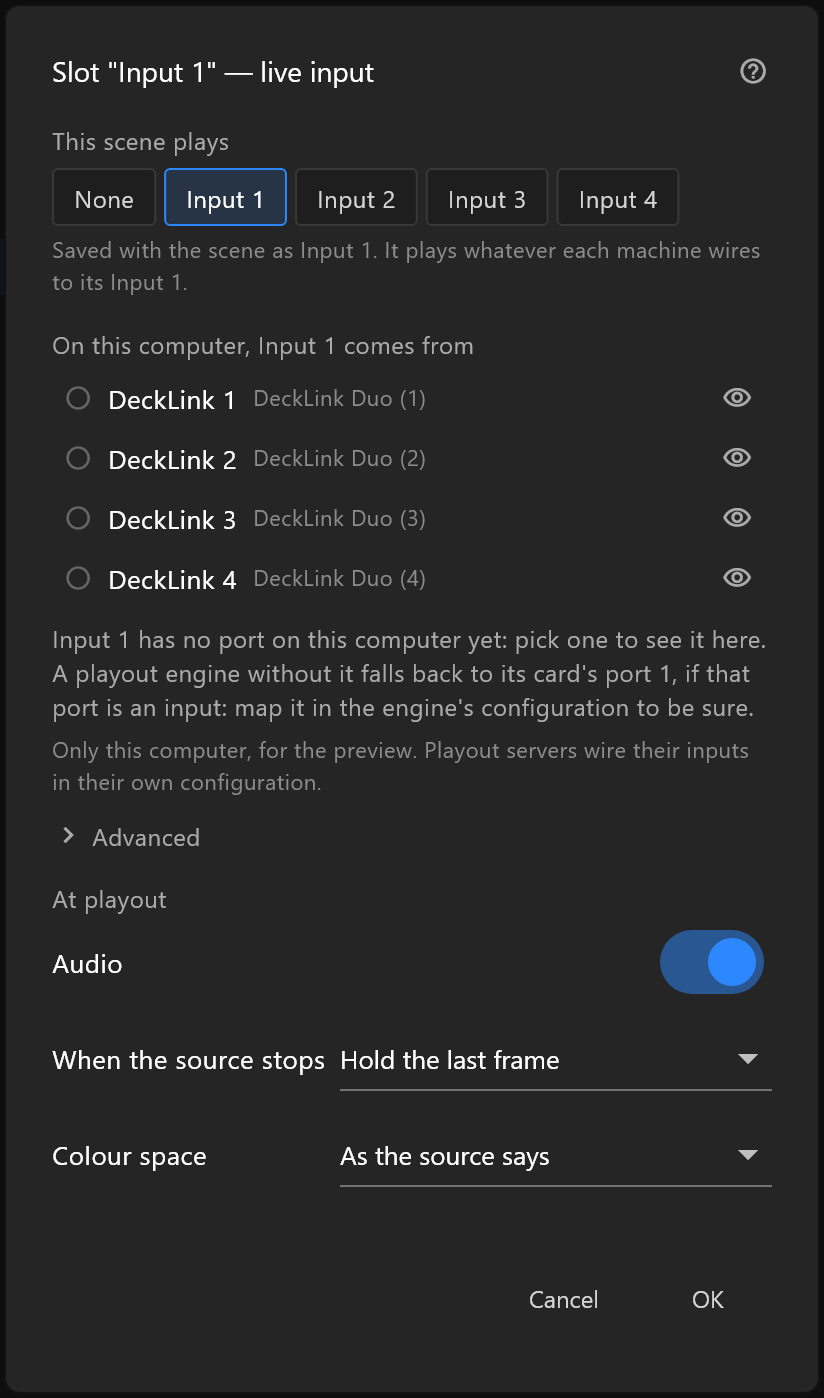
- Under This scene plays, choose Input 1 to Input 4. That is saved with the scene, and means the same input on every playout server.
- To see it in the editor too, pick which DeckLink port on this computer carries that input. That is only for your preview.
- Choose None if the operator will choose the source at playout.
4. Decide what happens when the feed stops
When the source stops — hold the last frame, show the placeholder, or go to black. For a live guest, holding the last frame is usually kindest; for a clip that ends, the placeholder or black.
5. See it on a real monitor
With a DeckLink card, Monitor out sends the artboard to a broadcast monitor, live slots and all, so you can judge it at full size before it goes anywhere.