Appearance
Versions and sharing
Keeping the states you might want back, and passing work to the next person — a whole document, one artboard, or a script.
Keep a version before anything you might regret
Ctrl+Alt+S — or File › Versions… and Keep this state — takes a complete copy of the document as it is, with a name if you give it one: "before the rebrand", "sent to Gallery 1". Restore brings one back; the state you were in is kept first, so a restore can be undone.
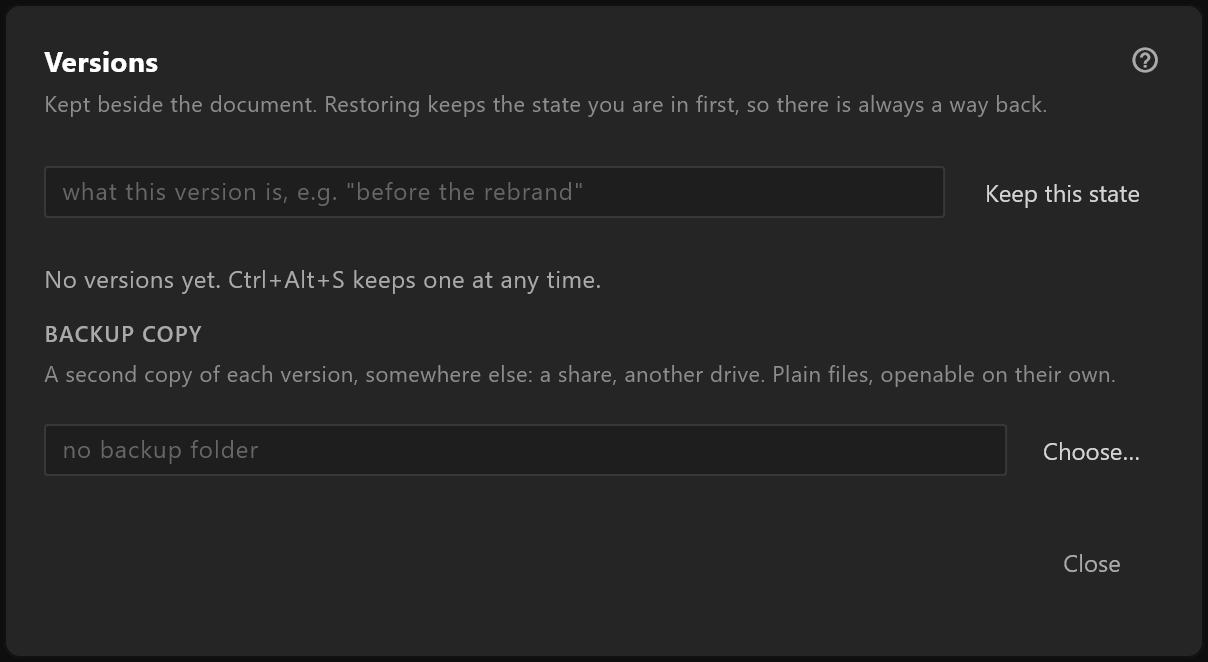
Versions live beside the document. Backup copy writes each one to a second folder as well — a share, another disk — as a plain document anyone can open. See Versions.
Send a whole document
The .airz file carries everything it needs: fonts, pictures, scripts. Send that one file. Add its .airzversions folder only if the other person should have the history too. See Where your files live.
Fonts travel with it
Sending a document sends its fonts. Check a commercial typeface's licence before a document leaves your facility.
Move one artboard into another document
- Copy in the artboard's inspector — or
Ctrl+Cwith the artboard selected — copies it with its view model, its fonts and anything it nests. In the other document, Paste. - File › Export artboard… saves one artboard as a file of its own, and File › Merge artboard from file… brings it into another document.
Share a script
Save to library keeps a script on your shelf for every document you open. For someone else, send a document that uses it: the script travels inside it. See Script library.
Send a graphic to the gallery
File › Sync to controllers… — see Sync to controllers and Prepare a scene for air.