Appearance
Animation States
Animation States make a graphic react instead of just play: they hold the rules for which animation runs, and what moves it on to the next.
Why a graphic needs them
A lower third is not one animation. It comes in, holds while the name is on screen, and goes out when the operator takes it off — and it has to do each at the right moment, on air, with nobody in the editor. Animation States are those moments written down: this timeline, then that one, when this happens.
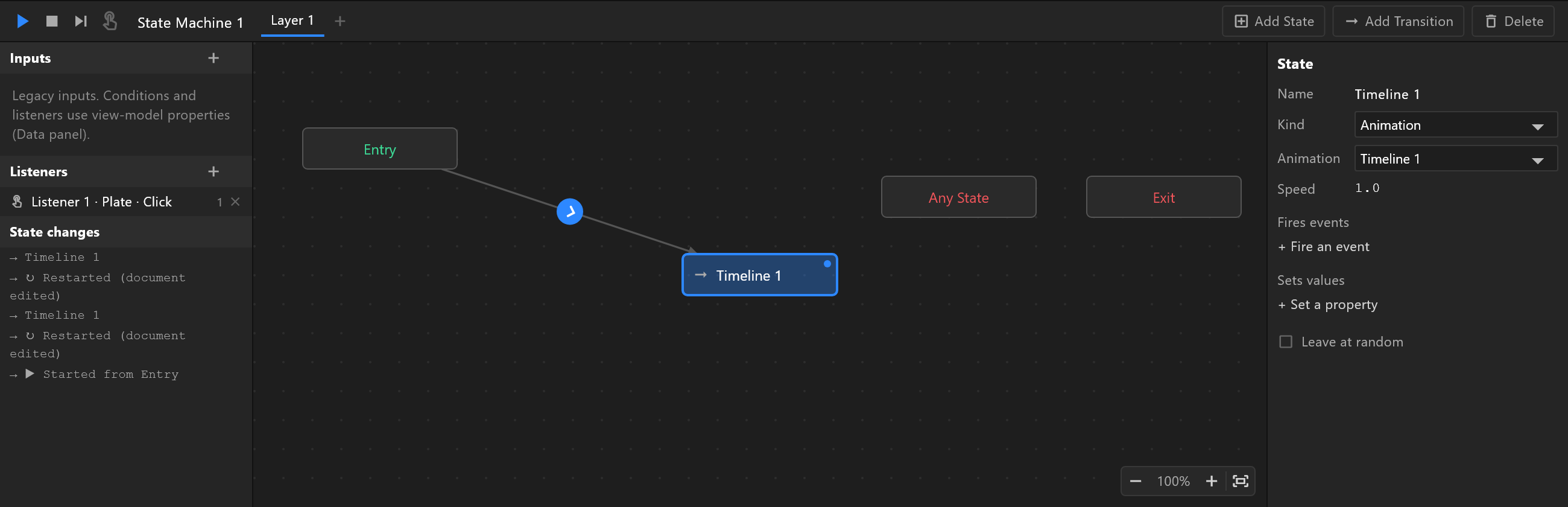
States
A state is something the graphic can be doing — usually playing one timeline: the "in", the "hold" loop, the "out". Three states are always there:
| State | What it is |
|---|---|
| Entry | Where they start |
| Any State | A route that applies from every state: "whatever is happening, do this" |
| Exit | Where it ends |
A state can also blend several timelines by a number — a gauge whose needle follows a value — and can set properties or report events as it is entered. See States.
Transitions and conditions
A transition is an arrow from one state to another. It moves when its conditions are true — conditions on the graphic's data:
- a trigger has fired:
takeIn - a switch is on:
onAir is true - a number has passed a value:
score > 100
With no condition, a transition moves as soon as it can — at the end of the animation, when Exit time asks it to wait for that.
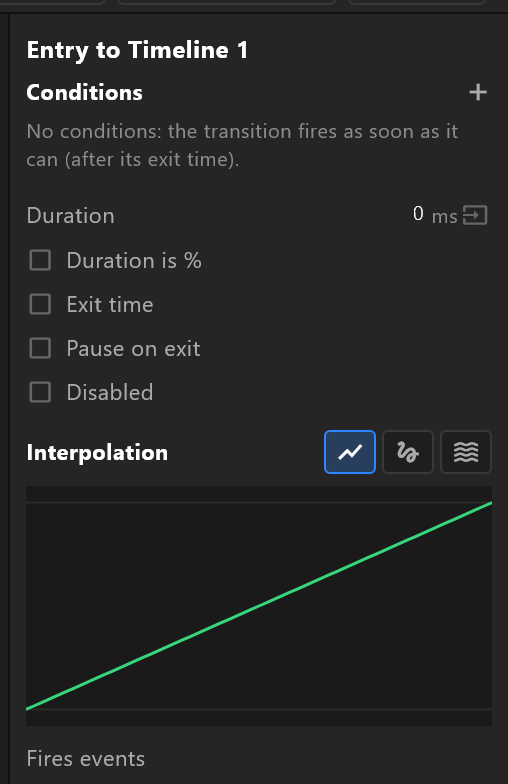
A transition can also take time — a duration over which the two states mix — and ease across it. See Transitions and conditions.
Listeners
Animation States can also listen: for a click on an object, a key, a property changing. A listener does something when it hears it — sets a property, fires a trigger — which the conditions then act on. That is how a touch-screen graphic or a clickable control panel is built. See Listeners and inputs.
Layers
Animation States can have several layers, each its own set of states running at the same time — the lower third's movement on one, a logo that spins on another. Layers never wait for each other.
On air
The default Animation States run when the graphic plays. The control system talks to them through the data: it sets name and role, fires takeIn, and the Animation States do the rest. Mark which are the default in the Animations panel.
To test them in the editor, open them and press play: they run as they will on air, and the state changes log lists every state they go to.