Appearance
Group
Several objects moved, turned and faded as one.
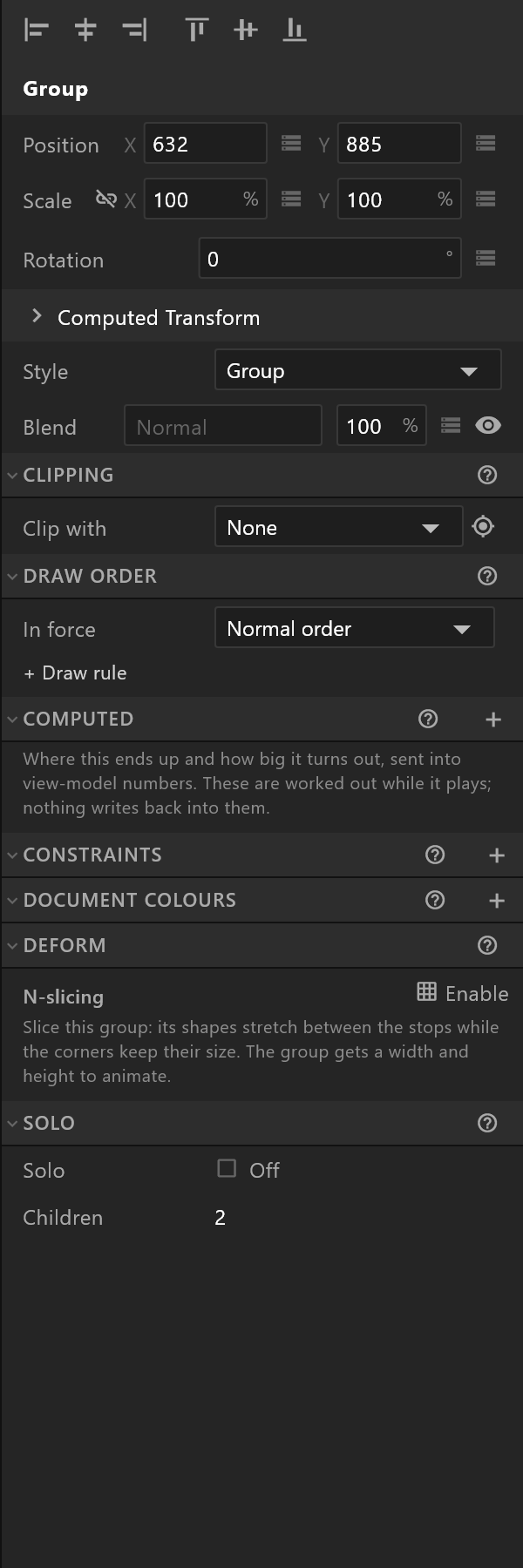
What a group is
A transform and nothing else: a group has a position, a scale, a rotation and an opacity, and everything inside it follows. It has no fill, no size and no geometry of its own.
Ctrl+G makes one from the selection; Ctrl+Shift+G takes it apart.
Because a group has no box of its own, its blend mode is fixed at Normal — the objects inside blend, the group does not.
Style — how it looks on the stage

Style decides how the group is drawn while you work: as a plain group, or as a target — a ring with crosshairs, a square or a triangle at its origin.
This changes nothing in the exported graphic. It exists because a rigging handle you grab a hundred times reads better as a target than as a bounding box.
Solo — one child at a time

Tick Solo and only one child draws. An Active row appears to choose which, and it can be bound: a number picks by position, a string or an enum picks by name.
That is how one group holds every state of a badge — live, replay, break — and the data chooses which is on screen, with no animation and no hiding to maintain.
Nine-slicing a group
Deform › N-slicing gives a group a width and a height it did not have, and stretches its contents between the stops while the corners keep their size. The panel is plain about what moves and what does not:
Slice this group: its shapes stretch between the stops while the corners keep their size. The group gets a width and height to animate.
Stops are pixels of the initial size. Shapes inside deform; text and images inside only move.
That second line is the one to read twice: a sliced group stretches its shapes; text and pictures inside it are carried along, not stretched.
The rest
A group has Clipping, Draw order, Computed and Constraints like anything else, and takes Follow — sitting beside another object with a gap. It cannot take Fit to; size a layout instead.