Appearance
Scripted object
An object whose look comes from a script: a clock hand, a particle field, a chart. Here you choose the script and set the values it reads.
Choose it in the Hierarchy, or make one: double-click a script in the Assets panel, or use the scripts tool group in the top bar. Its row in the hierarchy has a code icon, with the script's name after its own.
The top of the panel — the name, Position, Scale, Rotation — is the same as for any object. See the inspector.
The script
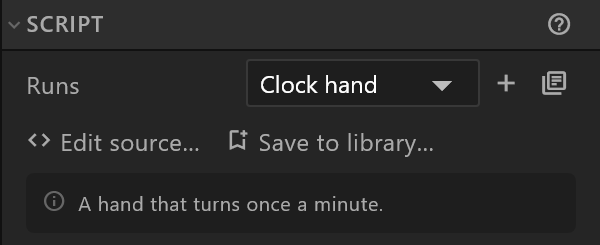
| Control | What it does |
|---|---|
| Runs | Which of the document's scripts this object runs, or None |
| + | Adds a new script to the document |
| The library button | Picks a script from the library |
| Edit source… | Opens the script in its own tab, in the script editor |
| Save to library… | Keeps the script on your shelf, for any document |
Under them, in a grey box, is what the script says about itself — the comment at the top of its source. The scripts in the library explain there what they draw and what to bind; start your own with a comment and it shows here too.
If the script has a mistake, its message appears here in red. While the editor is still checking a script, it says so instead of showing an error.
A script that arrived compiled cannot be edited: "Arrived compiled: its code cannot be changed here, but its input values can."
Inputs
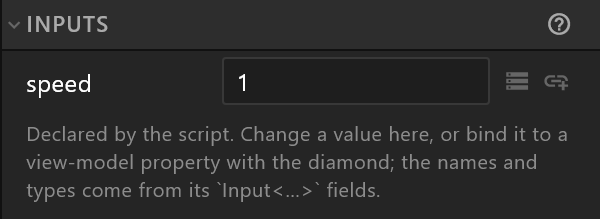
The values the script reads, each with a field for its value and a diamond to bind it to a view-model property or key it.
- A script that declares its inputs lists them itself, by name and type, and keeps the list up to date as you edit it. You set the values; the names come from the script.
- A script that declares none leaves the list to you: Add an input the script reads adds one.
Some inputs name a property the script writes into — a result the script produces, such as a count. The panel says which, and an arrow beside it makes the property and a text that shows it, in one step.
A script from another file
A file brought in from elsewhere can carry scripted objects this editor keeps exactly as they came. Their panel is shorter:
| Row | What it says |
|---|---|
| Runs | The script's name |
| Source | written here, or compiled elsewhere |
| Signed | yes: plays in every player — shown only for a signed script |
| Edit source… | Only when the source is here to edit |
Under Property Group, its input values can be changed. "The values are yours to set; the code is not editable here, and changing them keeps it playing in every player."