Appearance
Timelines
A timeline is one animation: what changes, by how much, and when. An artboard can have as many as it needs — in, out, a loop, a change of score.
Keys
A timeline is made of keys. A key says: at this frame, this property has this value. Between two keys the value travels from one to the other, and how it travels is the key's ease.
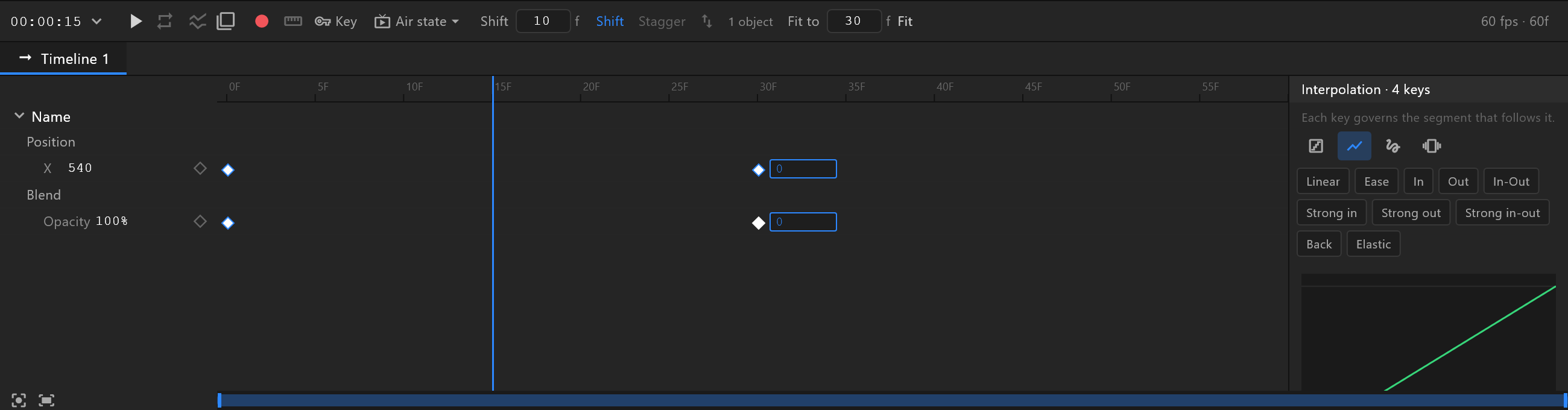
Almost anything with a number, a colour or a choice can be keyed: position, scale, rotation, opacity, a fill's colour, a corner's radius, a text's size. In Animate mode a diamond appears beside each row that can be; a filled blue one means a key on the playhead.
Auto-key — the red dot, on by default — writes keys for you: move something on the stage and a key lands at the playhead. Turn it off to change how the graphic starts without animating it. That goes for properties with no keys yet: once a property has keys, changing it at the playhead always adds or updates a key there, with the dot on or off.
Frames and length
Keys sit on whole frames. Each timeline has its own frame rate and length, set in its settings. Choose the rate before you key: keys stay on their frame numbers, so changing the rate afterwards changes how long everything takes.
How a timeline plays
| Setting | What happens at the end |
|---|---|
| Once | It stops on its last frame |
| Loop | It starts again from the beginning |
| Ping-pong | It plays backwards to the start, then forwards again |
A work area plays only part of a timeline. The range goes out with the exported graphic, so it trims what plays on air too — without deleting the keys outside it. See Work area.
Ease
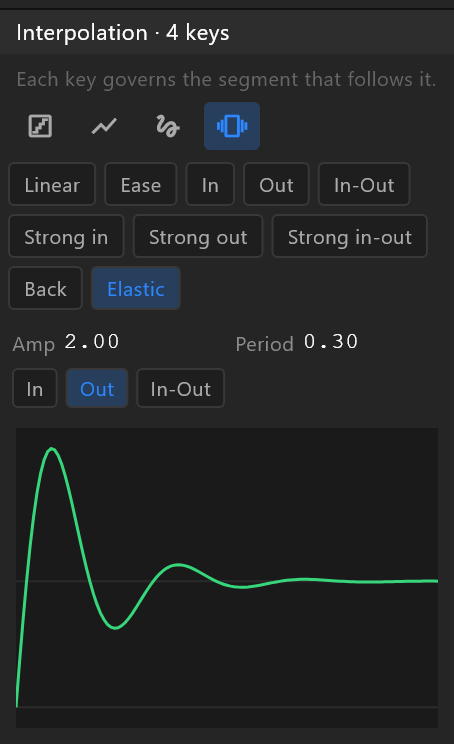
A key's ease shapes the stretch that follows it, up to the next key. Hold jumps at the end; linear moves at an even speed; a cubic curve eases in and out; elastic overshoots and settles. The Back preset — a small overshoot — is what makes a lower third land rather than stop. See Interpolation.
Which timeline plays
In the editor, the play button plays the timeline you have open. On air, the artboard's default Animation States decide: it plays one timeline, then another, as the data tells it to. A graphic with a single timeline and no Animation States of its own still works — but the moment it needs an "in", a "hold" and an "out", it wants Animation States.