Appearance
Data and view models
How a graphic stops being a picture and becomes something a gallery can drive.
The idea
A graphic that says "Marlow Stroud, Political editor" is a picture. A graphic whose name and role come from two named values is a template: the same design, filled in differently every time it goes to air.
Those named values are a view model. Each value in it is a property, with a name and a type.
Lower third
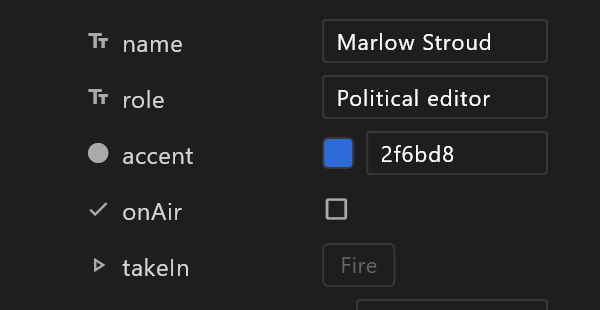
  name    String    "Marlow Stroud"
  role    String    "Political editor"
  accent  Color     #2F6BD8
  takeIn  Trigger
Properties
| Type | For |
|---|---|
| String | Words: names, titles, scores as text |
| Number | Counts, percentages, positions |
| Boolean | On or off: a badge shown or hidden |
| Color | A colour that a party, a team or a brand decides |
| Trigger | A moment, not a value: bring it on, take it off |
| Enum | One of a named set: Live, Break, Off air |
| Image | A picture, a camera, a routed feed or a clip |
| List | A set of rows to repeat — a table, a ticker, a results board |
Instances

A view model can hold several named sets of values — instances. One per candidate, one per team, one for rehearsal. The artboard shows one of them. The first is the default, and that is what a player creates when the graphic opens.
Instances are how you design against real content without wiring anything up: switch instance in the Data panel and the artboard shows that content.
Binding
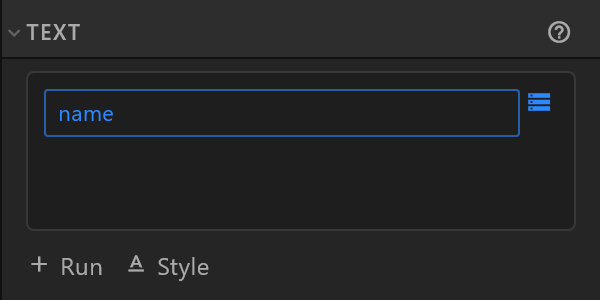
Binding joins a property to something in the artwork: this text shows name, this bar's colour is accent, this group is hidden while onAir is off. Bind from the inspector — the small data glyph beside a row.
Bound rows stop being typed into, because a value arriving on air would overwrite what you typed. The row shows where its value comes from instead.
A property can also drive another property, optionally through a converter that changes it on the way — rounding a number, formatting it as text, easing a counter so it animates instead of jumping.
What the control system sees
Every property marked Visible to controller is written into the bindings.json file that sits beside the exported graphic: its name, its type, what it starts as. That is what makes a field appear in a rundown for an operator to fill in.
So the names you choose are an interface. name and role are good names; text3 is not. And renaming a property that has already been synced to a controller breaks what was wired to the old name until it is pointed at the new one — the editor warns you when that is what you are doing.
Triggers
A trigger has no value: it is a moment. takeIn brings the graphic on, takeOut sends it away. The Animation States wait for it.
Most broadcast templates sit invisible until their trigger fires. That is why a template opened in the editor can look like an empty artboard, and why the template card tells you what it comes on with.