Appearance
Start screen
Where a session begins: a new document, one you were working on, or a ready-made scene to change.
The Start screen appears when the editor opens with no document. You can come back to it at any time from File › Start screen….
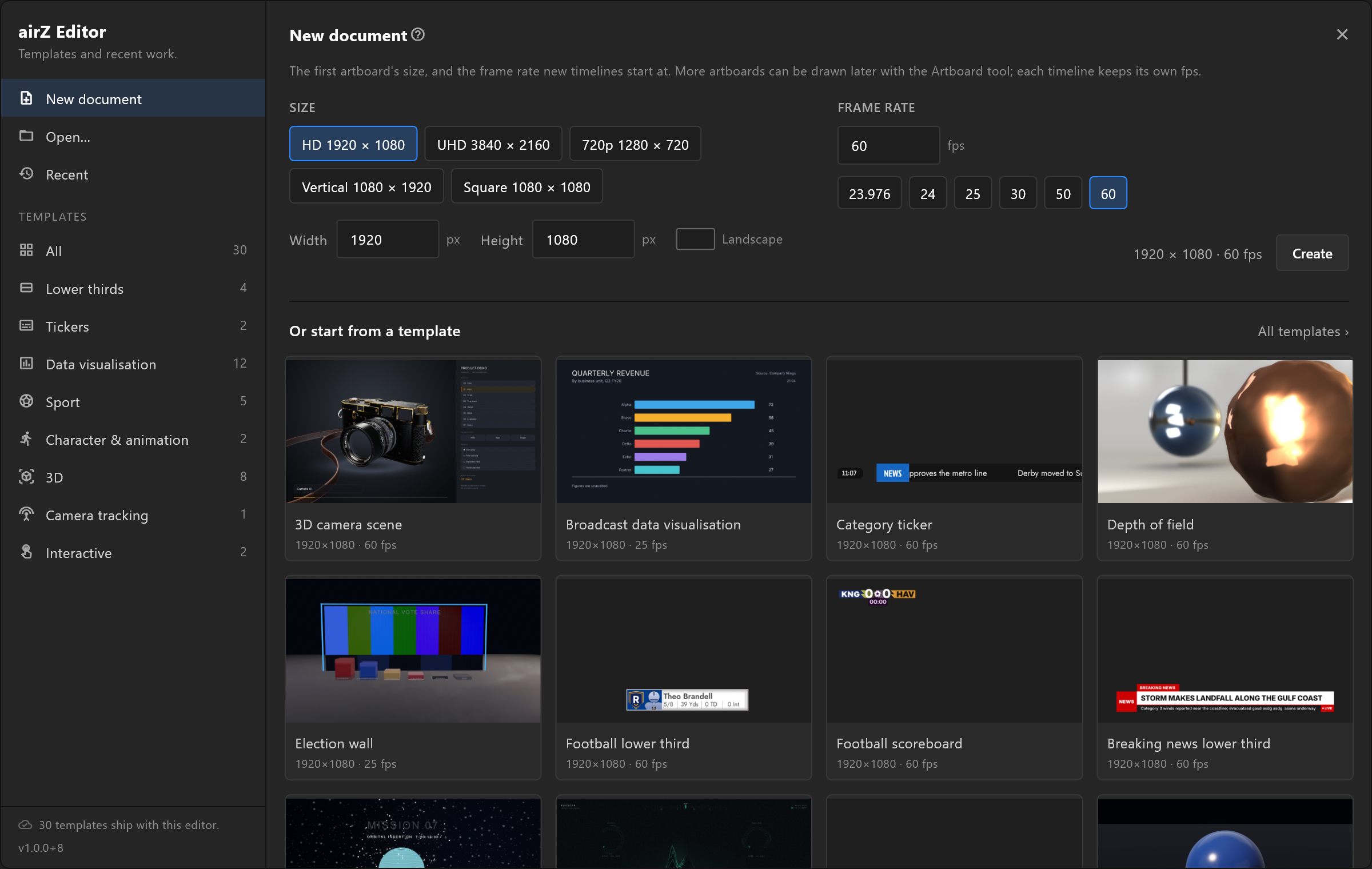
What it does
Down the left is a rail with four ways in — New document, Open…, Recent with a count beside it, and Templates. The rest of the screen shows whichever you picked.
Use it
Start from nothing. New document asks for a size and a frame rate, then opens an empty artboard. See New document.
Carry on with yesterday's work. Recent lists what you opened last, most recent first, each with its folder and when it was last saved. Click a row to open it. Two buttons appear as you hover: Show in folder and Remove from list. A document that has moved says so — "Not found here — moved or deleted?" with the folder it was last seen in — and cannot be clicked.
Start from a template. Templates shows the ready-made scenes: the ones that ship with the editor and the ones in the library. Search by name with Search templates, or pick a category. Click a card to see what it holds, then Use template.
The template card
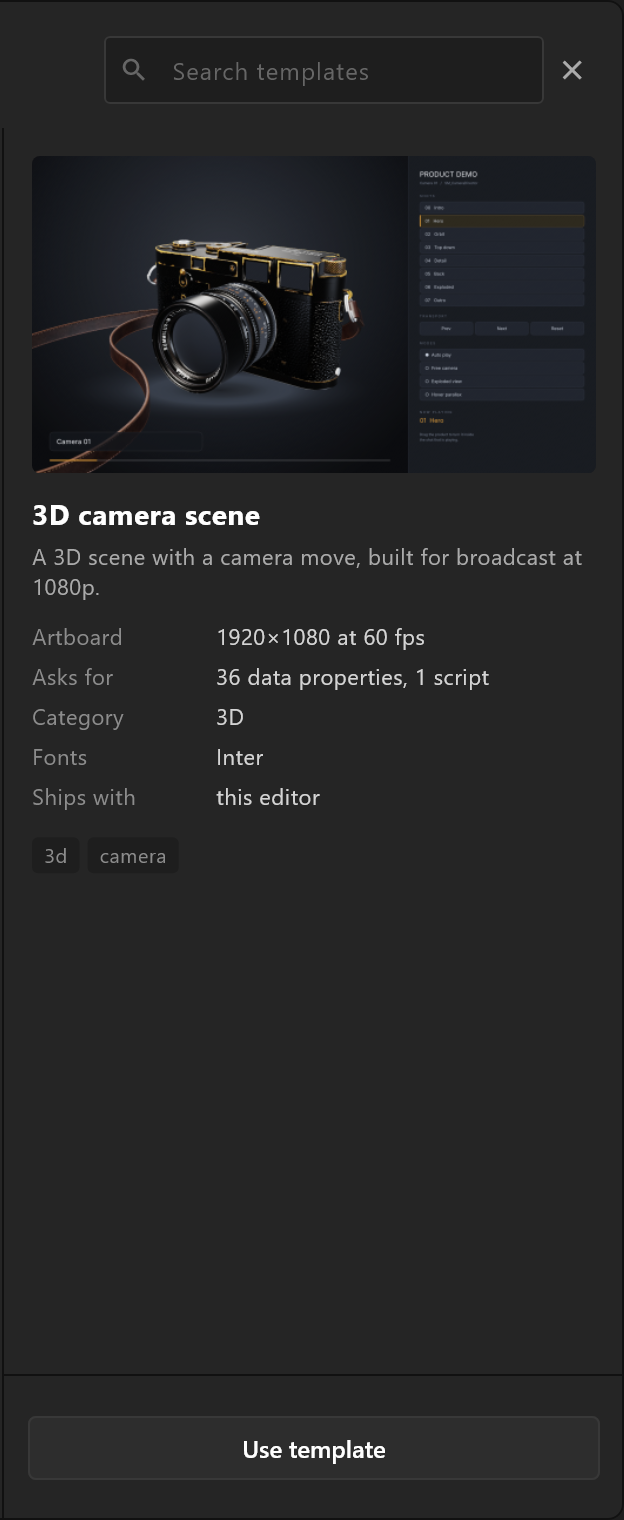
Clicking a template opens a card that says what you are about to get, before anything is downloaded.
| The card says | What it means |
|---|---|
| Artboard | Its size and frame rate, for example 1920 × 1080 at 50 fps |
| Asks for | What it expects to be driven with: data properties, image slots, video slots, scripts, extra artboards, 3D |
| Comes on with | The trigger that brings the graphic on, for example takeIn. Using the template fires it once, so the scene is not sitting empty when it opens |
| Category and tags | What kind of graphic it is |
| Fonts | The typefaces built into it. A font whose licence does not allow passing it on is named with its licence |
| Ships with / From | Whether it came with the editor or from the library |
| Download | Its size, when it has not been downloaded yet |
A warning worth reading. A template carries its fonts inside it, so a copy of the template is a copy of the font. Where a typeface is commercial, the card says: "This template embeds a commercial typeface. Check your licence before sending it outside your own facility." The person sending a scene to a playout server is the one who needs to know.
Badges on a template
| Badge | What it means |
|---|---|
| NEW | Added to the library since you last looked |
| UPDATED | You have it, and a newer version exists |
| CLOUD | In the library, not yet on this computer |
| NEWER EDITOR | Built with a newer editor than this one. The card shows it but cannot open it: "Needs a newer editor: update the editor to open this template." |
Buttons on the card
| Button | What it does |
|---|---|
| Use template | Opens it as a new, untitled document, in place of the one that is open. If that one has unsaved changes, the editor asks whether to save them first. The template itself is never changed |
| Download and use | Fetches it first, with a progress bar and Cancel, then opens it |
| Get version N (N MB) | Downloads the newer version of a template you already have |
| Remove download | Deletes the downloaded copy from this computer. The template stays in the library |
When there is nothing to show
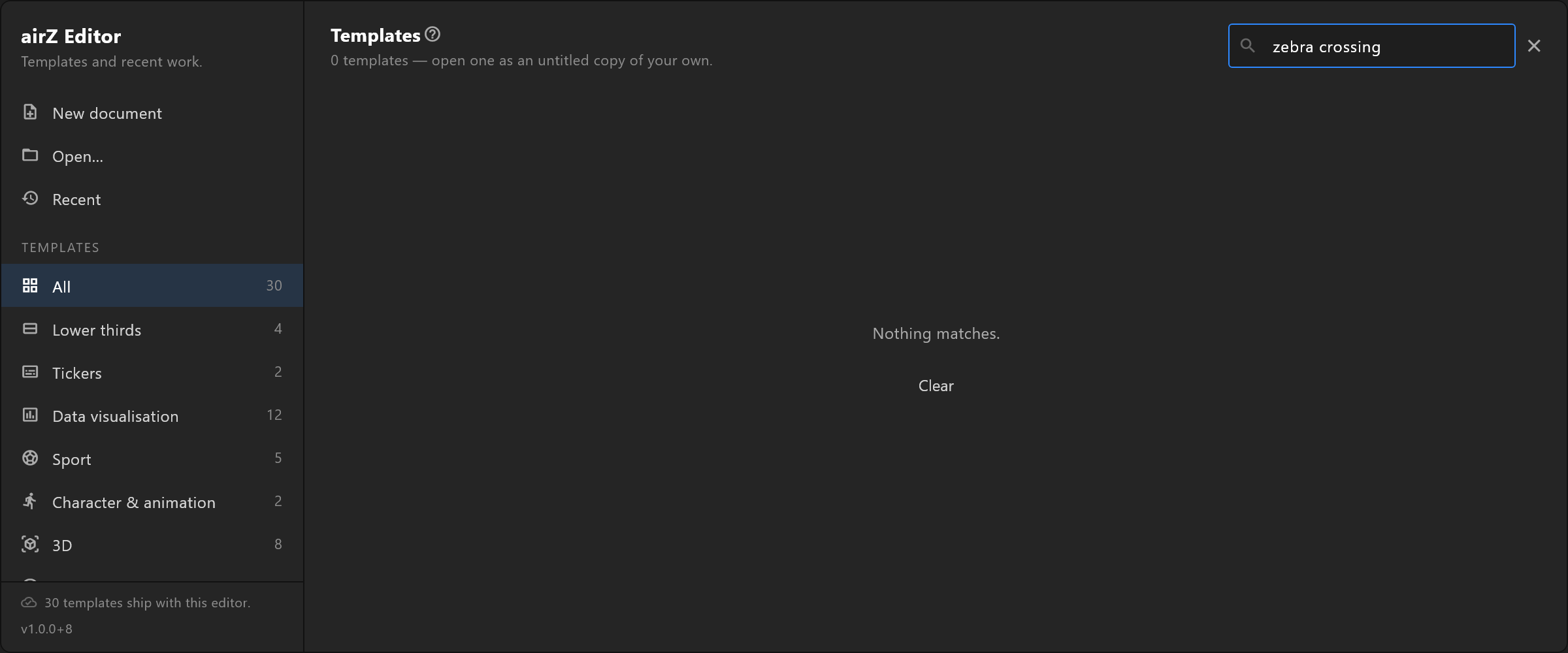
- No recent documents: "Nothing opened yet. Open a document, or start from a template."
- A search that matches no template: "Nothing matches." with Clear.
- A category with nothing in it: "No templates here yet."
See also
- New document
- Template library, for managing templates while a document is open
- Your first scene