Appearance
Versions
States of this document you can come back to, long after undo has run out.
File › Versions…, or Ctrl+Alt+S.
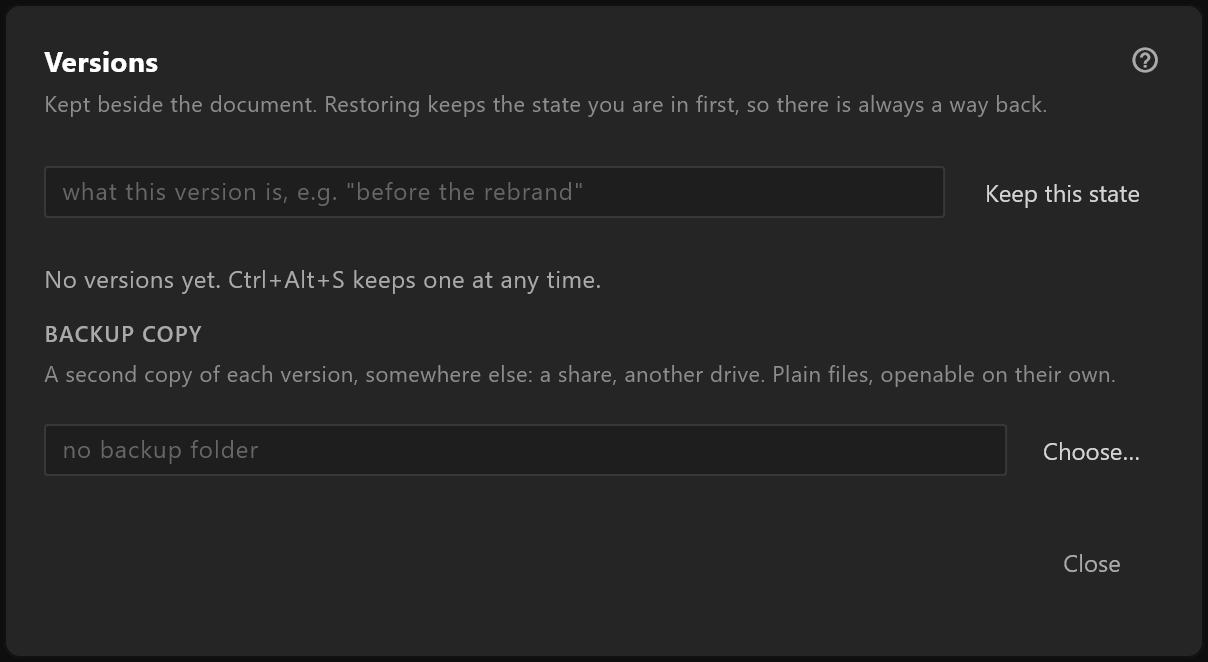
What it does
Keep this state takes a copy of the document as it is now and adds it to a list. Each entry is a complete document, not a difference from another one — so restoring one can never half-work.
Undo covers everything since the document was opened, and ends when it is closed. Versions cover the rehearsal you did on Tuesday.
Use it
Before anything you might regret — a restructure, a client's "try it green", the change you make twenty minutes before air — press Ctrl+Alt+S. It costs a second.
To go back, open the list and press Restore on the entry you want. The editor writes the state you are in now as a version first, so restoring is itself undoable.
Forget this version removes one you no longer need.
Where they live, and how big
The list says how much space the history is holding. Versions are kept next to the document, and identical content is stored once however many versions share it — so keeping a version before every small change is cheaper than it looks.
Backup copy writes each version to a second folder as well — a network drive, a second disk — as a plain document, so a lost machine does not take the history with it.
Versions, autosave and undo
| What it protects against | |
|---|---|
| Undo | Any change since the document was opened |
| Autosave | A crash: the editor offers to recover unsaved work when it next opens |
| Versions | Regret. A decision you want to reverse days later |