Appearance
Layouts
A layout arranges what is inside it, so a graphic fits whatever the data sends instead of the words you happened to design with.
Why a broadcast graphic needs them
On air, the text comes from the rundown. "Marlow Stroud" becomes "Alexandra Montgomery-Whitfield", and a plate drawn to fit the first name leaves the second one hanging off its end. A layout sizes itself to its content, so the plate fits every name.
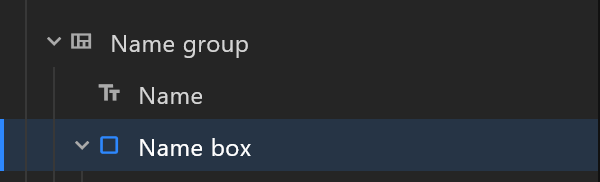
The quickest way to see one work is the text's Background box: it puts the text in a layout that hugs it, with a box behind that grows as the name gets longer.
Three ways to arrange
| Type | What it does | Use it for |
|---|---|---|
| Flex | Children in a row or a column, one after another | Name plates, chip rows, stacked lines |
| Grid | Columns and rows you define | Tables, results boards |
| Stack | Everything on top of everything | Layers that should all fill the same box |
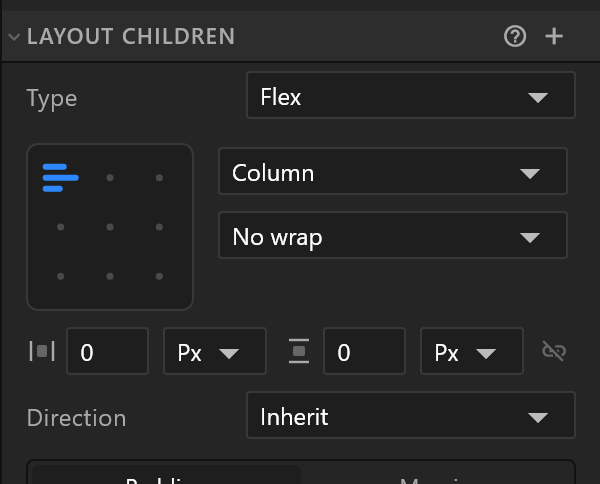
The alignment pad says where the children sit — click a cell. Gap is the space between them; Padding the space inside the edge.
How big
Each direction is one of three:
| Behaviour | Means |
|---|---|
| Hug | As big as what is inside — the plate that fits the name |
| Fill | As big as the space its parent gives it |
| Fixed | The size you typed |
Hug on the outside, Fill on the inside is the pattern that makes most broadcast graphics survive live data: the plate hugs its text; a divider inside fills the plate's width.
Children in a layout
A child of a layout is placed by the layout: its own Position stops mattering, and it moves when its neighbours grow. A child that should stay where you put it — a badge pinned to a corner — switches Laid out off, or pins itself with the Position section's pin.
Layouts go inside layouts. A results table is a column of rows, each row a flex of cells — or one artboard list inside a column, drawing one row per item of the data.
Moving with the content
When the content changes size on air, a layout can animate to its new size instead of jumping — the Layout Animation section. See Layout.