Appearance
The assistant
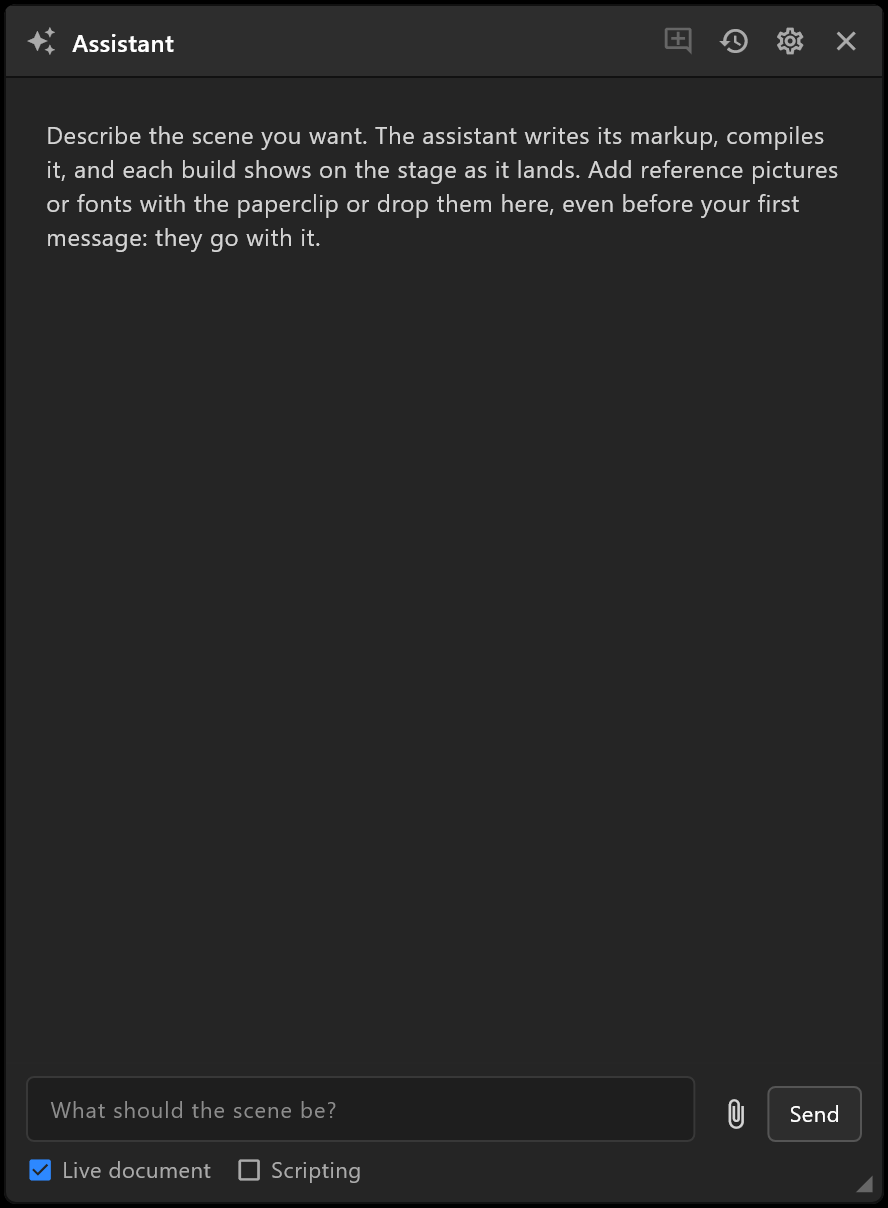
Describe the graphic you want, and the assistant builds it in your document: artwork, animation, data and 3D. You watch each step land on the stage, steer it in words, and undo it like any other change.
Ctrl+J, or the sparkle icon at the far right of the top bar. The icon turns blue while the window is open, and shows a dot while the assistant works.
Before the first use
The assistant needs two things, and says which is missing, with Check again and Settings…:
- The scene compiler, which comes with airZ Editor. If it is missing, the window says "The scene compiler is missing." — reinstall airZ Editor to get it back. See Settings › Scene compiler.
- A provider: your Claude subscription through Claude Code, or an API key. See Settings below.
Asking for something
Write what you want in the box — "a lower third for a news channel, name and role, with a blue accent bar that slides in" — and press Enter (Shift+Enter for a new line).
Pictures and fonts go with your next message: the paperclip, or drop them on the window, before your first message or later. PNG, JPEG, WebP, TTF and OTF. A picture is a reference to match, kept out of the graphic, unless you say otherwise: the line under the pictures reads "Pictures are references to match, kept out of the graphic. Switch one to In scene to place it." Each waiting picture has a label under its thumbnail; click it to switch:
| Label | What the assistant does with the picture |
|---|---|
| Reference ⇄ (a new picture) | Matches its layout, colours, type and mood, and compares its own preview against it. It never puts the picture in the graphic |
| In scene | Places it in the graphic: a logo, a photo. Click the label to switch before you send |
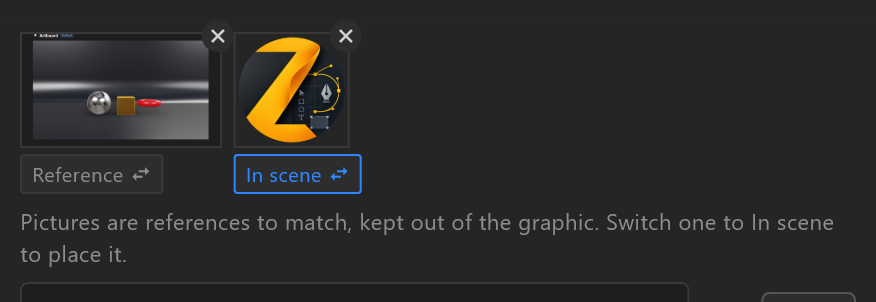
References stay with the session, so "closer to the reference" still works several messages later. A picture pasted rather than dropped is always a reference: to place it, drop the file instead.
While it works, each step is listed — "build the scene", "check the scene", "render a preview" — with a tick or a cross; click one to see what it did. Each build shows on the stage as it lands. Write while it works to steer it: Queue holds your message until the turn ends, Stop ends the turn.
| Switch | What it does |
|---|---|
| Live document | On, builds go into your open document. Off, they show on the stage as a preview, with Open in editor, Merge artboard and Back to document |
| Scripting | Lets it write scripts too. Off, it uses timelines, Animation States, data binding, constraints and listeners only |
Undoing it
There is no approval step: changes go straight into the document. At the end of a turn it says how many — "N changes to your document; one Ctrl+Z takes them all back." — and one Ctrl+Z does.
If you edit the document while it is building, it does not overwrite your work: "You edited the document since the last build, so this build was not put in it." Replace puts the build in anyway.
Sessions
Each conversation is a session, with the steps and files it made. The header's buttons: New session, Sessions… (open or delete an old one; double-click a title to rename it), Settings… and Close. Once a session has started, the window has two tabs: Chat, and Markup, which shows what the assistant wrote, with the lines it changed highlighted.
Limits
To keep a request from running away, the assistant pauses and asks before going on after many turns, after several failed builds in a row, or when a session has used its budget: "The assistant took N turns on this request; continue?". The limits are in Settings.
Settings
File › Settings… › Assistant, or Settings… in the window.
| Row | What it does |
|---|---|
| Provider | Claude Code (your Claude subscription), Anthropic API (a key with credits), or OpenAI-compatible (chat completions) |
| Model | Which model it uses. The default is right for most work |
| Claude Code | Whether Claude Code is installed and signed in, and Check again |
| API key | For the two key-based providers: paste it and Save, Test or Remove. It is kept in the Windows credential store, not in a file, and every request is billed to it |
| Scripting by default | Whether new sessions may write scripts |
| Turns per request, Failed builds before a pause, Tokens per session, Longest reply | When it pauses to ask |
The usage line at the foot of the window says what a session has used, and its cost where the provider says.
See also
- Settings · Keyboard shortcuts
- Versions: keep a version before a big request