Appearance
Template library
Ready-made graphics — lower thirds, scoreboards, election walls, 3D scenes — to open as your own and change.
File › New from template… opens it at any time. It is the Templates part of the Start screen, which the editor shows when it opens with no document.
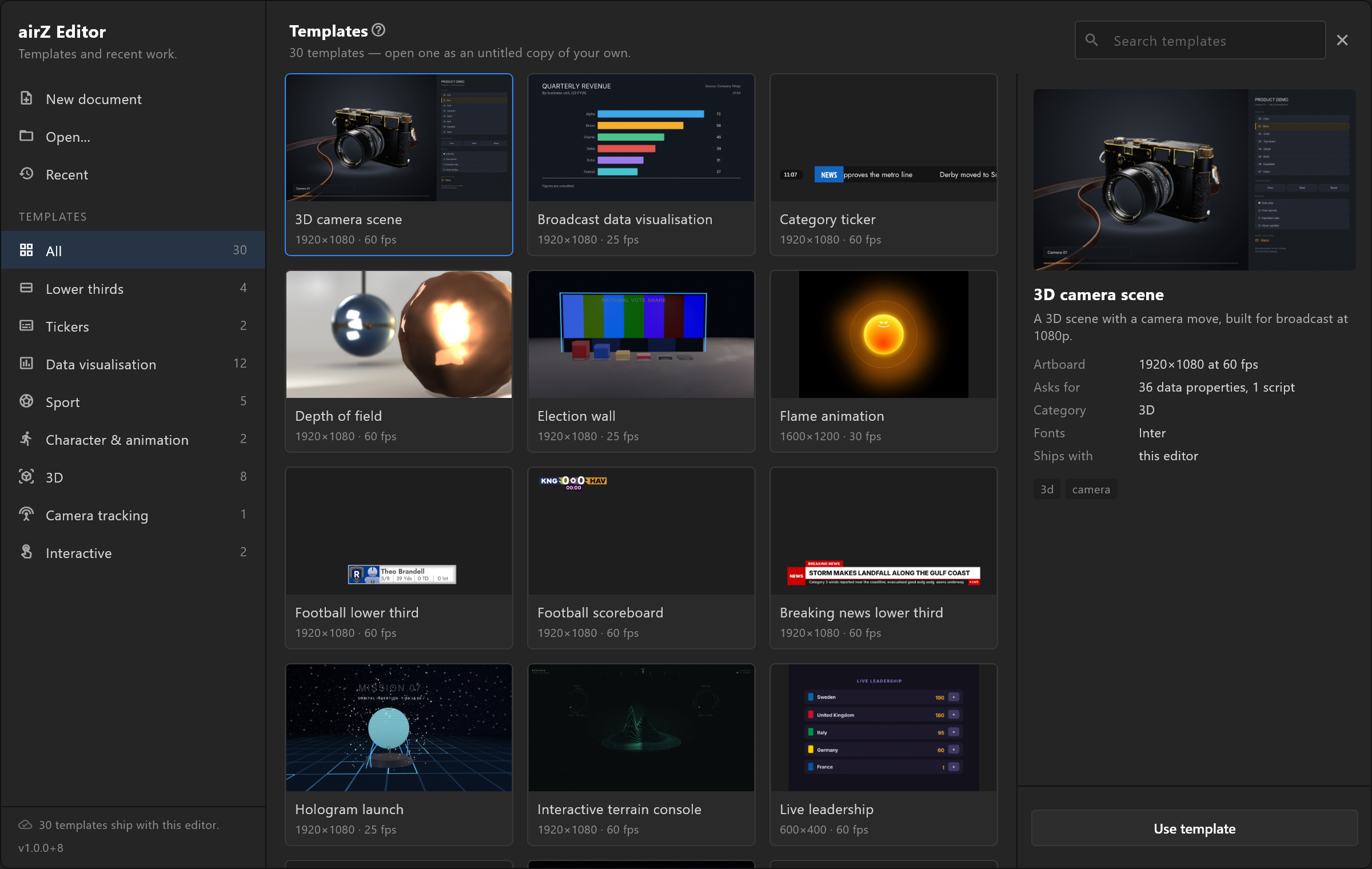
Finding one
Down the left, under TEMPLATES: All, then each category with how many templates it holds — Lower thirds, Tickers, Data visualisation, Sport, Character & animation, 3D, Camera tracking, Interactive. A category with no templates is not listed. A template can sit in more than one. For the two tickers, see Ticker from a list. Search templates at the top right finds them by name.
Each card shows the template, its name, and its size and frame rate.
Opening one
Click a card, and the panel on the right says what it is before anything is downloaded: its size and frame rate, what it Asks for (for example "36 data properties, 1 script"), its category, its fonts, and where it comes from. The template card on the Start screen page lists every row, badge and button.
Use template opens an untitled copy, in place of the document that is open; the editor asks to save that one first if it has unsaved changes. The copy is yours. The template in the library never changes.
When it opens, the editor tells you what it needs, in one line: the frame rate it runs at, what it asks for ("the Data panel fills them"), and the trigger it waits for, fired once so the graphic is on screen rather than an empty artboard.
Where templates come from
- Shipped with the editor — always there, even with no network.
- The online library — new templates and new versions of old ones, as they are published. They show as cards before they are downloaded, with a CLOUD badge; Download and use fetches one the first time.
The line at the bottom of the rail says how it stands: "Looking for new templates…", "30 templates ship with this editor.", or, without a network, "Offline: showing the templates on this computer." Downloads are kept in your Windows profile, so a template is fetched once. Remove download frees the space.