Appearance
Script editor
Where a script is written: in a tab beside the stage, checked as you type.
A script opens in a tab across the top of the stage. The first tab is the stage itself, named after the artboard you are editing. It is always there and never closes, so going back to the artwork never means closing the script you are in the middle of.
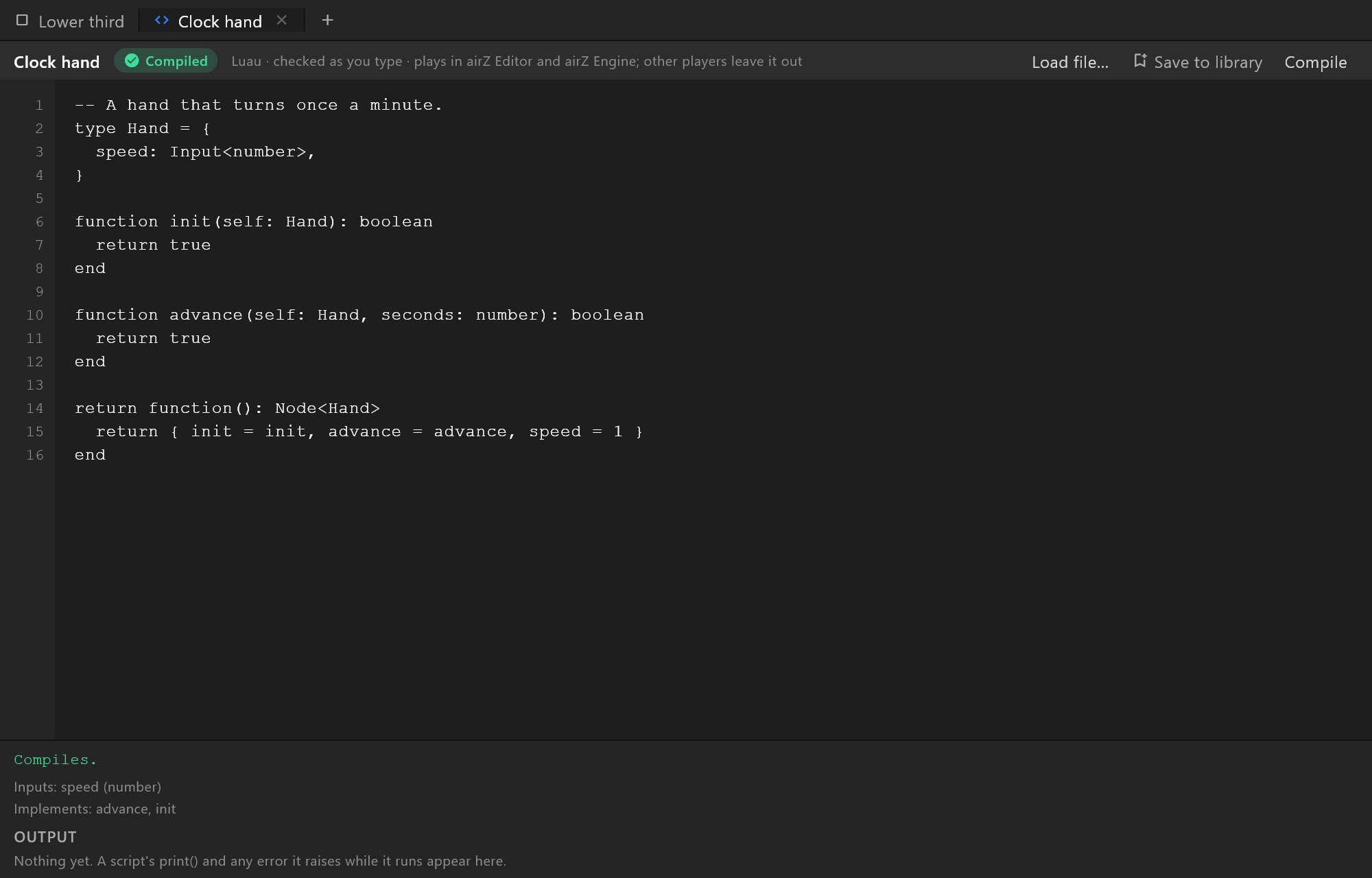
Opening a script

- Right-click a script in the Assets panel and choose Edit script. (Double-clicking it does something else: it adds an object that runs the script, the way double-clicking a picture places it.)
- Right-click an object that runs a script in the Hierarchy and choose Edit script.
- Or use the + at the end of the tabs:
| Choice | What it does |
|---|---|
| Load file… | Opens a script file from disk in a new tab |
| New script | A new script, with a starting template to write over |
| From the library… | One of the scripts on your shelf, or that ship with the editor |
| Any name under them | A script the document has that is not open in a tab. Closing a tab never loses a script: it comes back from here |
A tab whose script has an error shows its icon in red, so you can see which one needs attention without opening it. A padlock instead of the code icon means the script arrived compiled — see Scripts that cannot be edited.
Writing
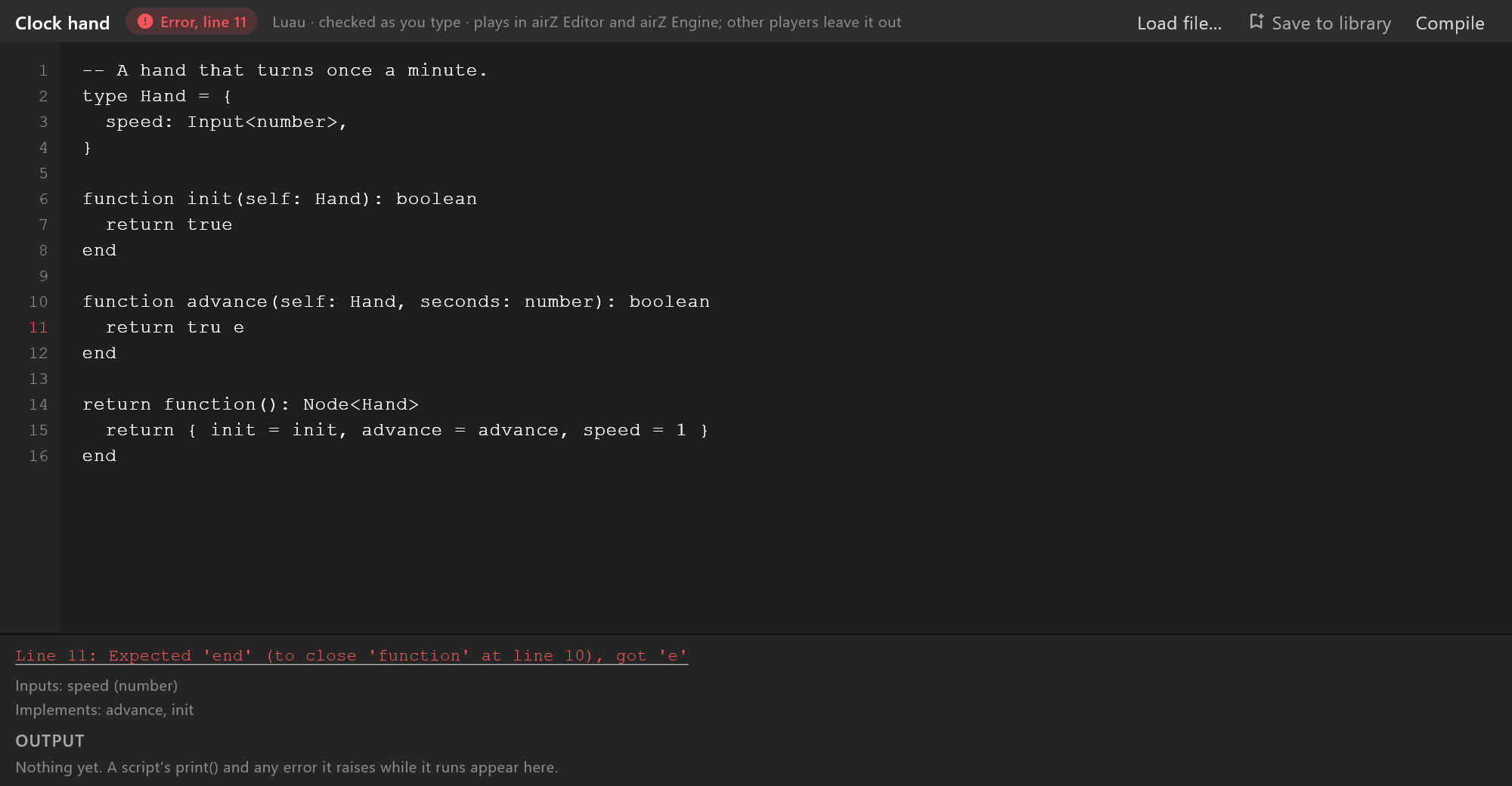
Scripts are written in Luau. The editor checks the script as you type, waiting until you pause so a half-typed line is not reported as a mistake.
The chip beside the script's name says how it stands:
| Chip | What it means |
|---|---|
| Compiled, green | The script is sound, and the document has it |
| Error, line 12, red | Something is wrong on that line. Click the chip to put the cursor there |
| Error, red | Something is wrong, and the message does not name a line |
The bar under the source has the full message. When it names a line, it is underlined: click it to go there. The line number in the margin is red as well.
Compile checks the script now instead of waiting for you to pause.
What the script offers
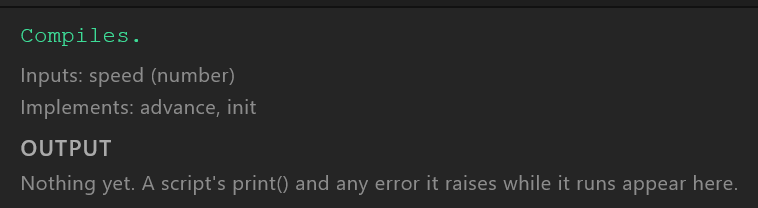
Two lines under the message tell you what the editor found in the script:
- Inputs — the values it lets a designer change, each with its type, for example
Inputs: speed (number), tint (color). They appear in the inspector when an object running this script is selected. With none: "No inputs. Declare them in the object type asname : Input<number>and they appear in the panel on the right when an object running this script is selected." - Implements — the functions the script provides, such as
draw,advanceandinit. If a function you wrote is missing from this line, the editor could not see it — which is how a misspeltadvanceshows itself.
Output
OUTPUT collects what the document's scripts say while they run: every print() line, and every error raised while a script plays. The newest line is at the bottom. Before anything has run it reads: "Nothing yet. A script's print() and any error it raises while it runs appear here."
- An error raised by the script in this tab is a place to go: click it to put the cursor on its line.
- A line that repeats is shown once, with how many times it came (
×12). - Copy copies every line, oldest first, for a bug report or a search.
- Clear empties it.
There is one output for the whole document. A print() line does not say which script printed it, so with several scripts running the panel reminds you: "print() lines do not say which script printed them; errors do."
Keys
| Keys | What it does |
|---|---|
Tab | Indents: two spaces at the cursor, or every line of the selection |
Shift+Tab | Takes the indent back |
Enter | A new line, starting as far in as the one above |
Ctrl+/ | Comments the selected lines out with -- , or back in |
Ctrl+F | Find in this script. Enter for the next match, Shift+Enter for the one before, Esc to close. It shows where you are, for example 2 of 5, or No match |
Ctrl+G | Go to line: type a number, press Enter |
Loading a file over a script
Load file… in the editor's own bar replaces this tab's script with a file from disk. The document keeps the only copy of what you typed, so if you have changed the script the editor asks first — Replace this script? — with Cancel and Replace. Over the untouched starting template, it does not ask.
Save to library keeps the script on your shelf, to use in any document.
Scripts that cannot be edited
A script can arrive compiled: it plays, and its inputs can be changed, but there is no source to read. Its tab has a padlock, the top bar reads "compiled elsewhere — read-only", and the bar underneath says "No source: this script arrived compiled."
Where scripts play
The editor's bar says it plainly: "Luau · checked as you type · plays in airZ Editor and airZ Engine; other players leave it out". Another player that opens the exported file shows the rest of the graphic, without what the scripts draw.