Appearance
Monitor out and DeckLink
A DeckLink card connects the editor to the broadcast world in two directions: pictures come in, to preview a live slot, and the artboard goes out, to a broadcast monitor. Both are for you, while you design. Neither changes what the graphic does on air.
What the card is for here
| Direction | Where | What it is for |
|---|---|---|
| In | A live input's dialog, in the Data panel | Seeing the real camera in the slot while you design |
| Out | View aids › Monitor out… | Seeing the artboard on a broadcast monitor, or through a mixer |
The editor finds DeckLink cards by itself. A card that is not installed, or not switched on in Blackmagic's Desktop Video, does not appear.
In: a camera in the slot
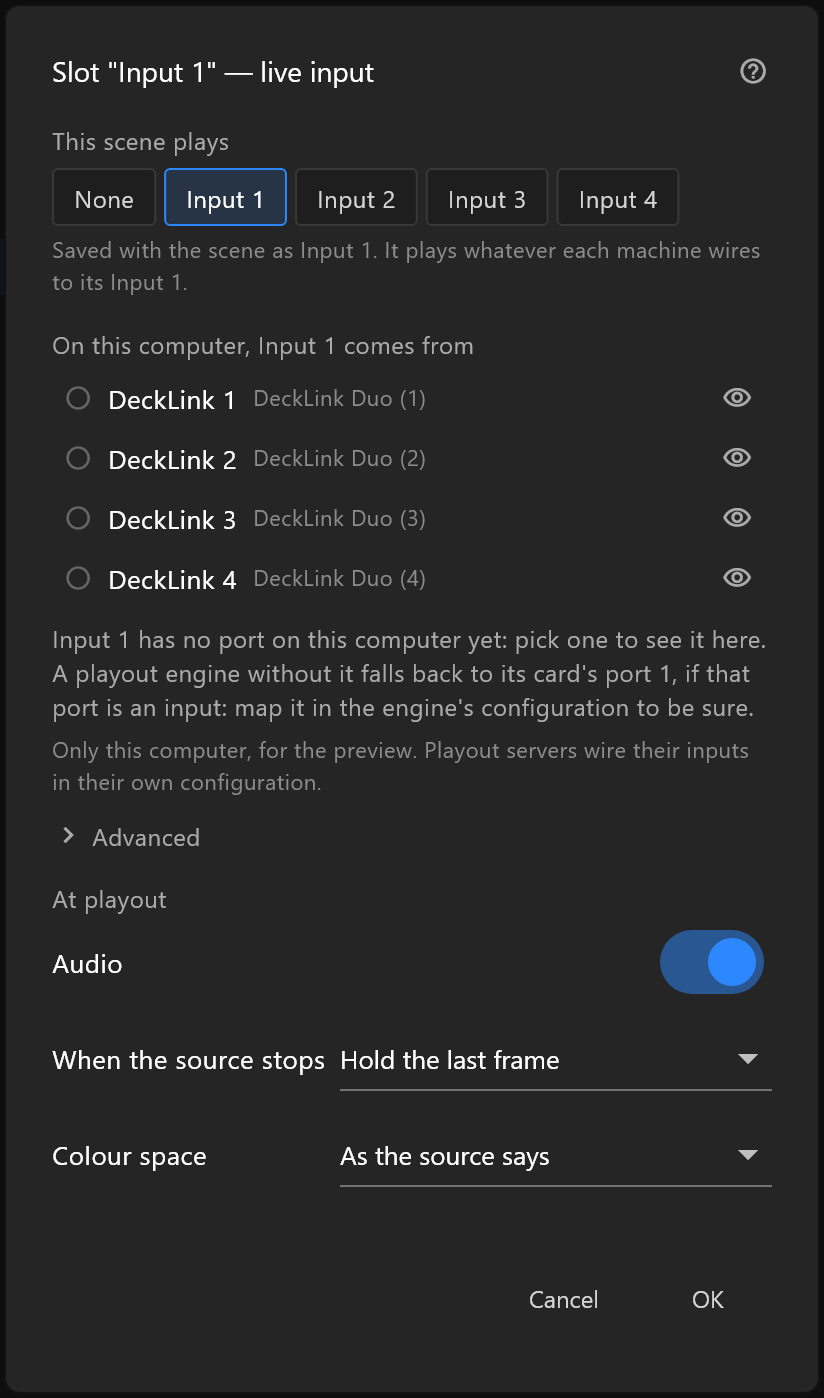
A live input saves which input the scene plays, Input 1 to Input 4, and nothing about this computer's card. Under On this computer, Input 1 comes from, pick the port your camera is plugged into, and the slot on the stage shows it.
- The choice belongs to this computer, not to the document. Send the document to a colleague and their machine wires its own Input 1.
- The playout server wires its inputs in its own configuration. What you pick here never reaches it.
- The eye beside a port turns it on or off for preview on this machine. A port that is off is left alone for other programs.
For live video from a clip, no card is needed: the editor plays the clip itself. See Live video slots.
Out: the artboard on a monitor
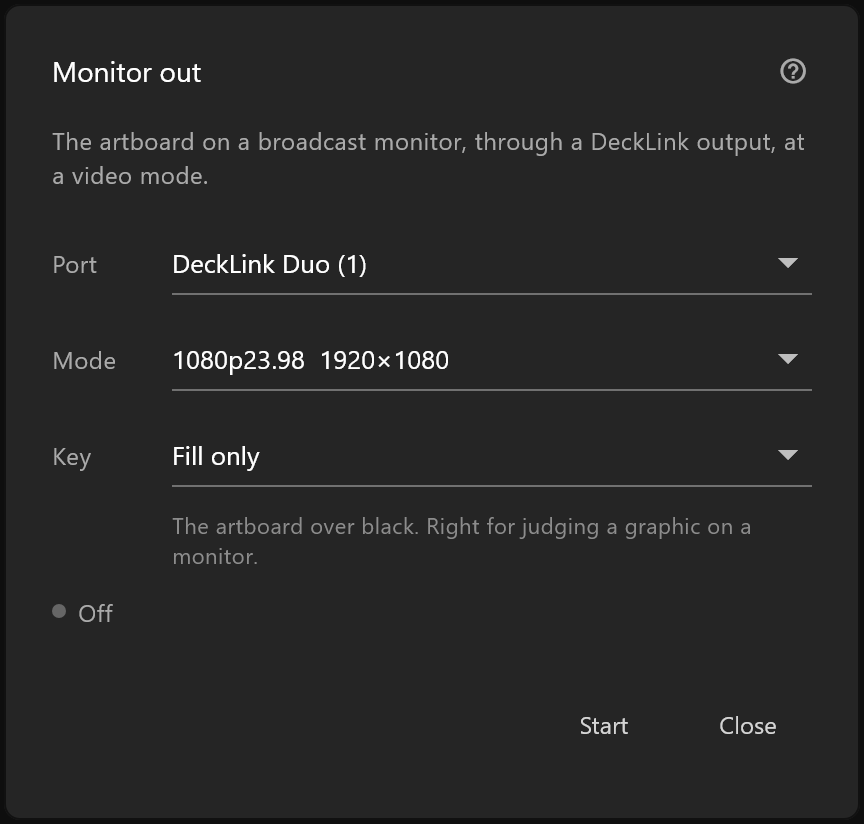
View aids › Monitor out…: choose a Port, the Mode the monitor expects, and the Key, then Start. While it runs, a chip in the top bar shows a green dot, the size and the rate.
Pick the key by what is at the other end of the cable:
| At the other end | Key |
|---|---|
| A monitor, to judge the graphic | Fill only |
| A mixer with a fill input and a key input | Fill + key on two ports, or Fill and key out of the card's paired sockets if your card pairs them |
| A monitor, with the graphic over a camera plugged into the card | Keyed on the card, over its own background |
The whole window is on Monitor out.
What to look for on the monitor
A computer screen flatters a graphic. On a broadcast monitor, check:
- Thin lines and small text. A one-pixel line can flicker on an interlaced monitor. Make strokes at least two pixels.
- Colours. Saturated reds and blues bleed. Check your brand colours on the monitor, not on the desk.
- Motion. An ease that looks smooth at your desk can judder at the channel's rate. Play the Animation States and watch it through.
- Safe areas. The edges of the picture are cut off on some screens. Turn on safe areas and keep text inside the title-safe box.
- The key. A soft shadow or a glow with a mixer behind it can look different from the same graphic over black.
When frames arrive late
If the chip adds N late in amber, some frames reached the card too late to play on time. A few during a heavy edit are ordinary. A number that keeps climbing means the scene costs more than this machine can give at that rate. Look at the preflight and at Limits and performance.
One card, one program
A DeckLink port can be used by one program at a time. If the editor says a port is in use by another application, or is busy playing out, something else has it: an airZ Engine on the same machine, or a capture program. Pick another port, or close the other program.