Appearance
Use your own Claude with airZ Editor
Claude Code or Claude Desktop can build and change scenes in the document you have open, with the editor's own tools: each build shows on the stage as it lands, and one undo takes back each run of its changes.
This is the work the assistant does inside the editor, driven from your own Claude instead.
1. Allow it
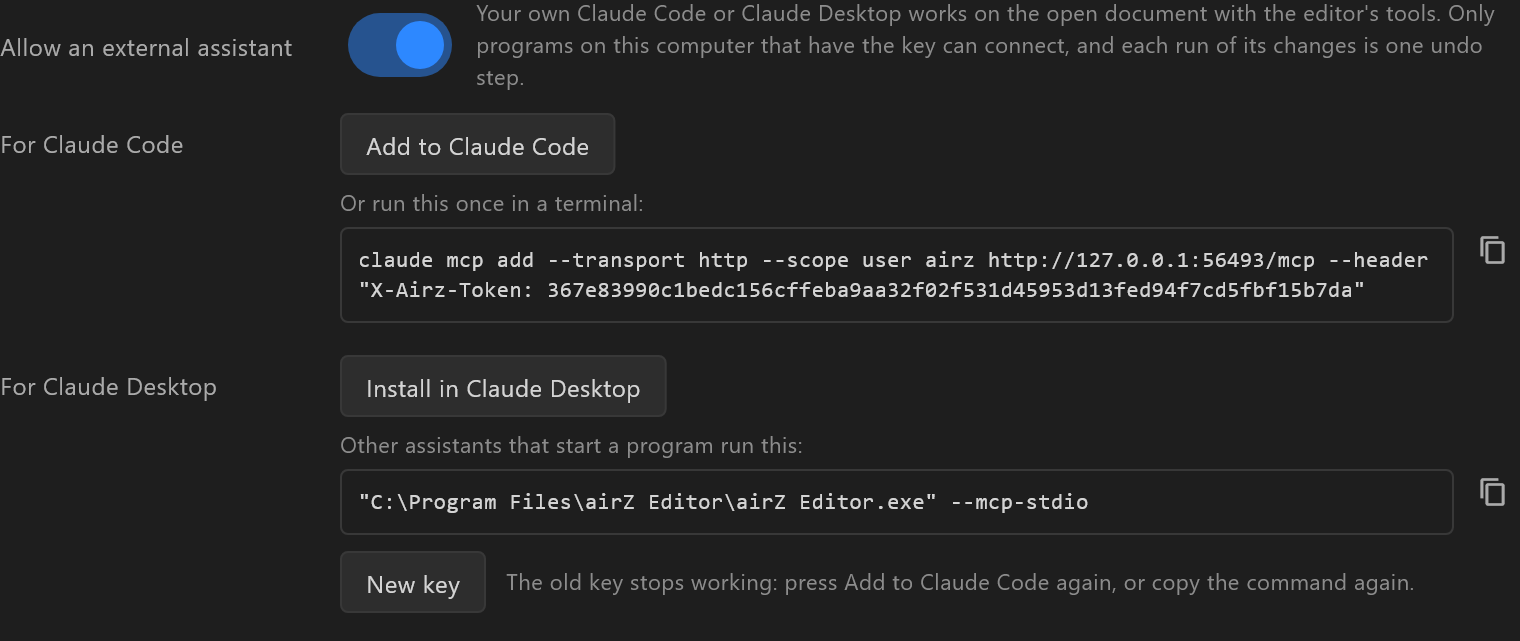
In Settings › External assistant, switch on Allow an external assistant. It is off until you do. As the section says: "Your own Claude Code or Claude Desktop works on the open document with the editor's tools. Only programs on this computer that have the key can connect, and each run of its changes is one undo step."
2. Connect your Claude
| Claude | How | Then |
|---|---|---|
| Claude Code | Add to Claude Code. Or, under "Or run this once in a terminal:", copy the command and run it | "Added. New Claude Code sessions have the editor's tools; one already open does not." Start a new session |
| Claude Desktop | Install in Claude Desktop (shown when Claude Desktop is on this computer) | "Claude Desktop shows its install dialog: confirm it there. It keeps the extension under Settings › Extensions." |
| Another assistant that starts a program | Copy the line under "Other assistants that start a program run this:" |
Claude Desktop's custom connector page is for servers on the internet, not for an editor on your computer: use Install in Claude Desktop instead.
The editor has to be open for Claude to reach it; when it is not, Claude is told so.

While an outside assistant works, the title bar shows External assistant connected · and which one, next to the document's name. It goes a minute after its last call.
The key
What connects is the key in the command. New key makes another: "The old key stops working: press Add to Claude Code again, or copy the command again."
When a program tries an old or wrong key, the section says so in amber: "Refused at HH:MM: program tried to connect with an old or wrong key. If that was yours, add it again."
3. Ask for a scene
In a Claude chat, + offers the editor's prompts: build_scene for a new scene and change_scene to change the open one. Or simply describe the graphic. Each build shows on the stage as it lands.
Each run of changes is one undo step: Ctrl+Z takes back what Claude did in one go.
4. Save and export
Claude saves to the document's own file. A document never saved asks you where, in the editor's own save window: Claude never picks a place on your disk. It does not open or start another document while yours has unsaved work.
Exporting the playout graphic needs the document saved, with no changes since: it exports what the saved file holds. Otherwise Claude hears "Save the document first (save_document): the playout graphic goes beside it, and is what that saved document plays." and saves first.
The graphic goes beside the document, named with its content hash:
Exported
<folder>\<name>_<sha8>.airzplay(… KB) and its bindings,<folder>\<name>_<sha8>.bindings.json. airZ Controller opens it; the name carries its content hash.
Exporting needs a licence for this machine, as File › Export playout graphic… does. See Licensing.
When it does not work
| What you see | Why, and what to do |
|---|---|
| Claude Code does not have the editor's tools | A session already open does not get them: start a new one |
| Claude Desktop's custom connector page has no way to add the editor | That page is for internet servers. Use Install in Claude Desktop in the editor's Settings |
| Claude says no editor is running | Open airZ Editor, with Allow an external assistant on |
| An amber "Refused at …" line | A program used an old key, often after New key. Add it again |
| "export_playout takes no path: it goes beside the document's own file." | Claude tried to choose where; the file always goes beside the document |
| A licence refusal on export | This machine has no editor licence. See Licensing |