Appearance
The template library
Where your graphics live before they go into a rundown: every template this airZ Controller has, in folders.
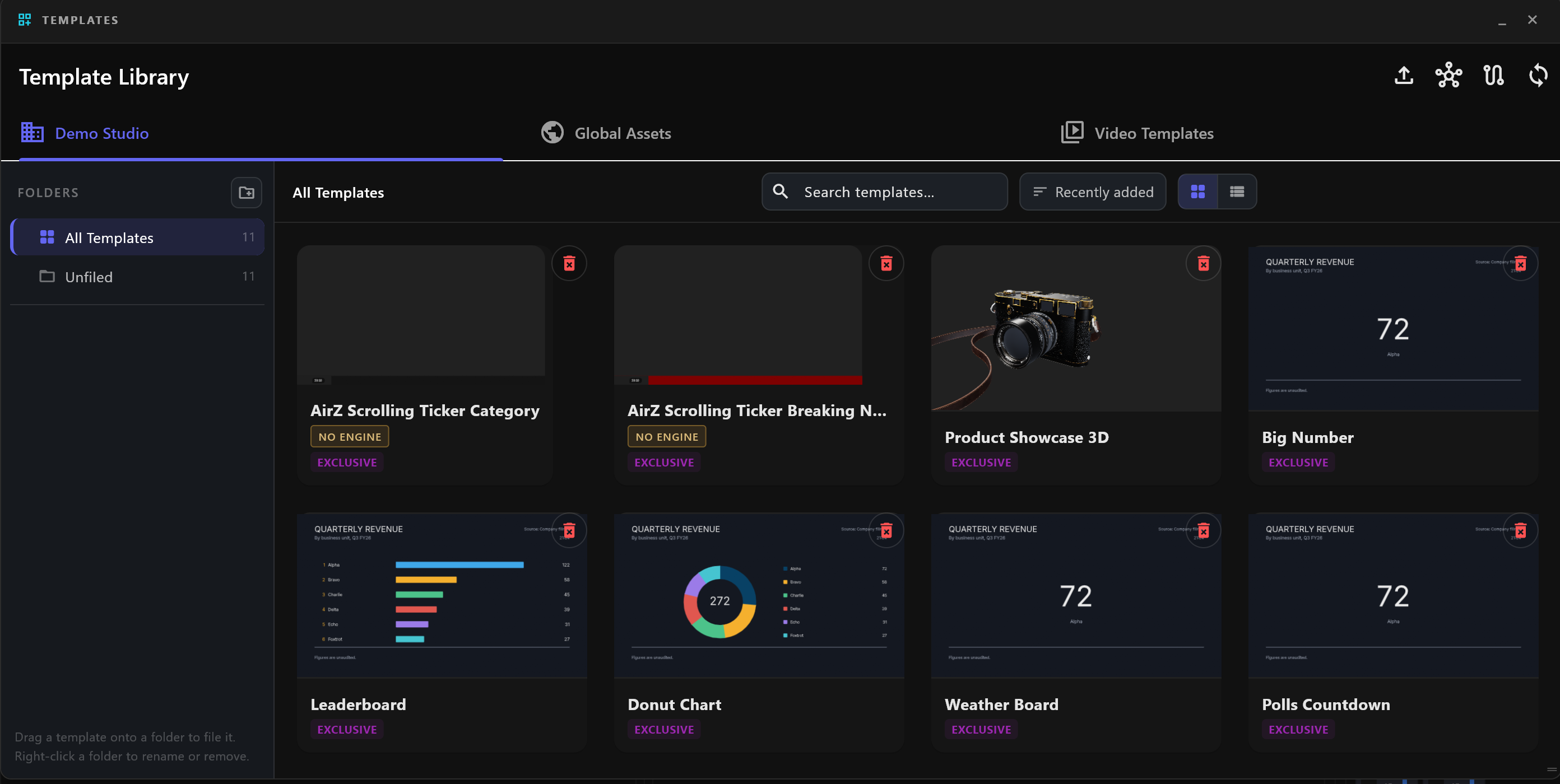
Select Templates in the title bar to open the Template Library. Its first tab holds your studio's own templates. Each card shows the graphic, its name, and a badge: EXCLUSIVE marks a template that belongs to your studio.
Find a template
- Search templates… matches template names.
- The sort menu orders the cards by Recently updated or Name.
- The two buttons beside it switch between cards and a list. The list shows NAME, FOLDER, TYPE and UPDATED.
Folders
FOLDERS, at the left, has All Templates, Unfiled (templates in no folder), and your own folders. The number beside each is how many templates it holds.
| To | Do this |
|---|---|
| Make a folder | Select the new-folder button beside FOLDERS and name it. |
| Make a folder inside another | Right-click the folder and choose New subfolder. |
| Rename a folder | Double-click it, or right-click and choose Rename. Enter keeps the name, Esc cancels. |
| Delete a folder | Right-click it and choose Delete. Its templates move up to the folder above; none are deleted. |
| File a template | Drag the card onto a folder or onto Unfiled, or right-click the card and choose Move to folder. |
Import a template file
Drag a template file from your computer onto the library, or select the import button at the top right of Template Library and choose one or more files. In Import Template:
| Field | What it is |
|---|---|
| Template Name | The name in the library and on rundown items. |
| Layer Type | Overlay draws over what is on air; Fullscreen fills the screen as a background. |
| Category | A label for the template. Add New... makes a new one. |
Select Import. The template lands in the folder that is open.
Templates from airZ Editor
airZ Editor sends finished templates straight to airZ Controller over your studio network. Nothing needs importing by hand: when one arrives, airZ Controller says so, naming the template, where it came from and the folder it went to. If parts of it could not be set up, the message ends with Open it before it is needed on air.
For airZ Editor to reach this airZ Controller, the rundown server must be on the network and the designer needs an account with the GRAPHICS role. See Accounts and roles.
Delete a template
Only templates imported from a file can be deleted here: select the red delete button on the card. airZ Controller asks first, and deleting cannot be undone.