Appearance
Connecting a newsroom system (MOS)
How airZ Controller takes running orders from your newsroom system, and how journalists put graphics into their stories.
Broadcast licence
MOS is the standard way newsroom systems talk to playout systems. With it, the running orders your journalists build in the newsroom system arrive in airZ Controller as rundowns, and change when they change.
Set up the gateway
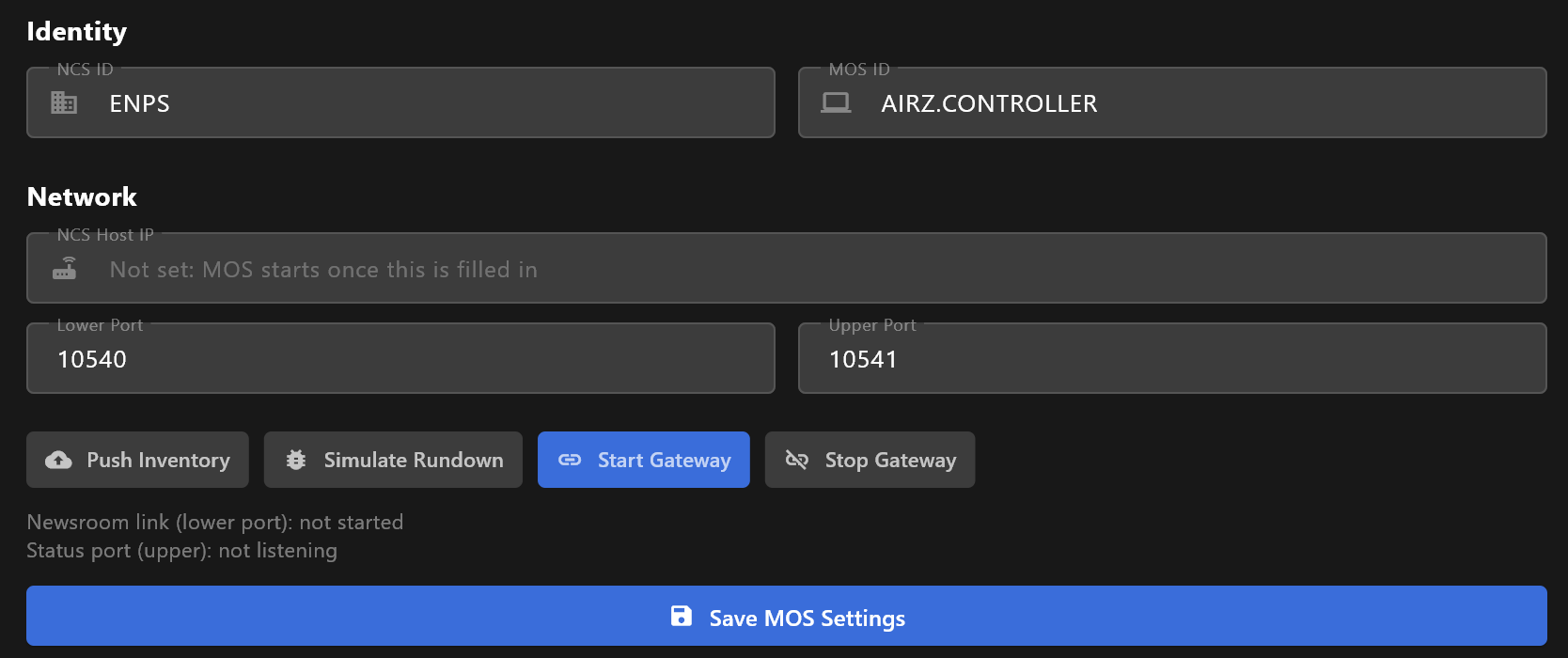
Open Settings and choose MOS Gateway, under BROADCAST.
| Field | What it is |
|---|---|
| NCS ID | The name your newsroom system goes by. It must match the ID set in the newsroom system. |
| MOS ID | The name airZ Controller goes by. The newsroom system addresses it by this name, so it must be unique on your network. A new installation starts with AIRZ.CONTROLLER; one set up with an earlier version keeps the ID it had. |
| NCS Host IP | The address of the newsroom system's server. Until it is filled in, MOS does not start. |
| Lower Port | The port on the newsroom system that airZ Controller connects to. Running orders and changes arrive over it. Usually 10540. |
| Upper Port | The port airZ Controller listens on, for the newsroom system's status messages. Usually 10541. |
Ask whoever runs your newsroom system for these values: the two sides must agree on all of them.
Save MOS Settings keeps them. Start Gateway saves them and connects. From then on, the gateway starts every time airZ Controller does. Stop Gateway disconnects, after asking, and keeps it off at the next start too.
Check the link
Two lines under the buttons say how the link is:
| Line | What it says |
|---|---|
| Newsroom link (lower port): | not started, connecting to…, connected to…, or DOWN — retry with the time of the next try and the reason. |
| Status port (upper): | listening on the port, not listening, or NOT listening — with the reason, such as the port being in use. |
When the link drops, airZ Controller tries again by itself: after 1 second, then 2, 4, 8 and 16, then every 30 seconds for as long as the gateway is on.
Look at the status line
The message that the gateway has started does not mean the newsroom system answered. The link line is the one place that says whether it is connected.
Running orders from the newsroom system
- A running order sent by the newsroom system becomes a rundown with the same name. When the newsroom system sends it again, or changes a story, the rundown's items change to match.
- When the newsroom system deletes the running order, its rundown is deleted.
- A rundown you made by hand is never taken over or emptied by the newsroom system, even when it has the same name.
- Nothing goes to air by itself, and nothing is taken off air. You take items to air as with any rundown. When the newsroom system removes or replaces an item that is on air, the graphic stays up and airZ Controller warns you: clear it yourself when it should go. If your newsroom system sends play and stop commands for items, those go to the playout engines.
Make changes in the newsroom system
The newsroom system is where these rundowns are written. Changes made to them in airZ Controller can be replaced by its next update.
Graphics in stories
Journalists add graphics from airZ Controller's MOS plugin, a page that lists your templates. In the newsroom system, they open the plugin and drag a template into their story with DRAG TO STORY. The graphic arrives in the rundown with the story.
The plugin is at airZ Controller's address on port 3467; the one on port 3468 is a lighter version. The newsroom system's administrator sets it up once.
Push Inventory sends the list of templates to the newsroom system, for newsroom systems that keep their own list of graphics. The link must be up.
Live Diagnostics
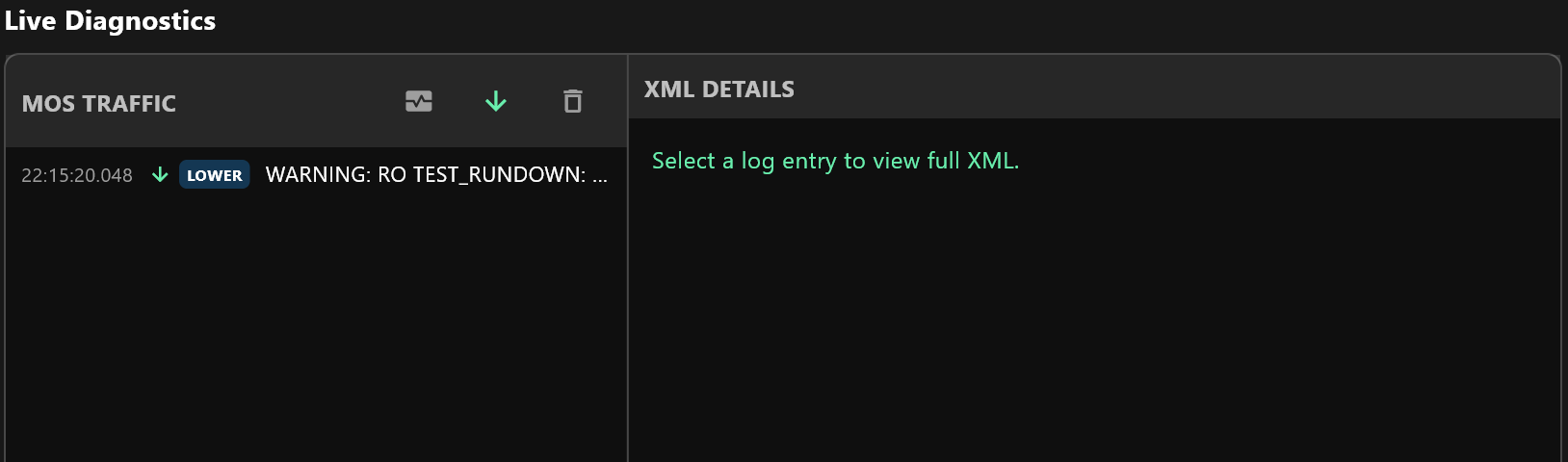
Live Diagnostics, at the bottom of the page, lists the MOS messages as they pass: the time, an arrow for in or out, the port (LOWER or UPPER) and the kind of message. Select one to read it in full under XML DETAILS; the copy button there (Copy XML) copies it, to send to whoever supports your newsroom system.
The buttons above the list, named when you point at them:
| Button | What it does |
|---|---|
| Show/Hide Heartbeats | Shows or hides the regular are-you-there messages. Hidden at first. |
| Auto Scroll | Keeps the newest message in view. |
| Clear Logs | Empties the list. |
The list keeps the last 1,000 messages.
Simulate Rundown plays a test running order into airZ Controller, as if the newsroom system had sent it, to check that it arrives. It creates a sample rundown with one story. The story's graphic names a template your airZ Controller may not have; when it does not, the graphic is left out and Live Diagnostics shows a warning saying so, as in the picture above.
Warnings like that one also appear for real running orders: whenever something the newsroom system sent could not be used, Live Diagnostics says what and why.