Appearance
Accounts and roles
Who may use this airZ Controller from a browser or from airZ Editor, and what each of them may do.
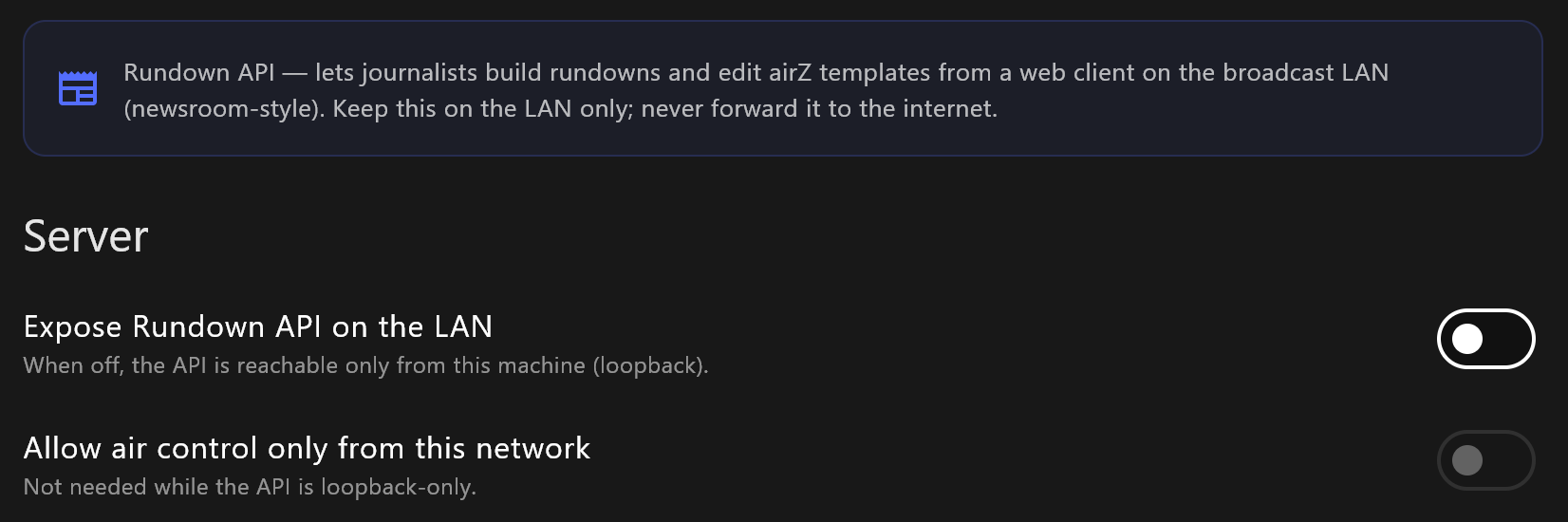
Journalists, producers, graphics designers and ticker writers work with airZ Controller through its rundown server, each with their own account. Set both up in Settings › Rundown API.
Open it to your network
| Setting | What it does |
|---|---|
| Expose Rundown API on the LAN | Off: only this computer can reach the rundown server. On: other computers on your studio network can. |
| Allow air control only from this network | Ticker animations can be fired only from inside your own network. Editing and approving ticker copy are not affected. |
Select Apply (restart server) after changing either. With a Broadcast licence the rundown server is always open to the network.
The card under them shows this computer's address for the server. Journalists open the same address in a browser, ending in /rundown instead of /api/v1.
Accounts
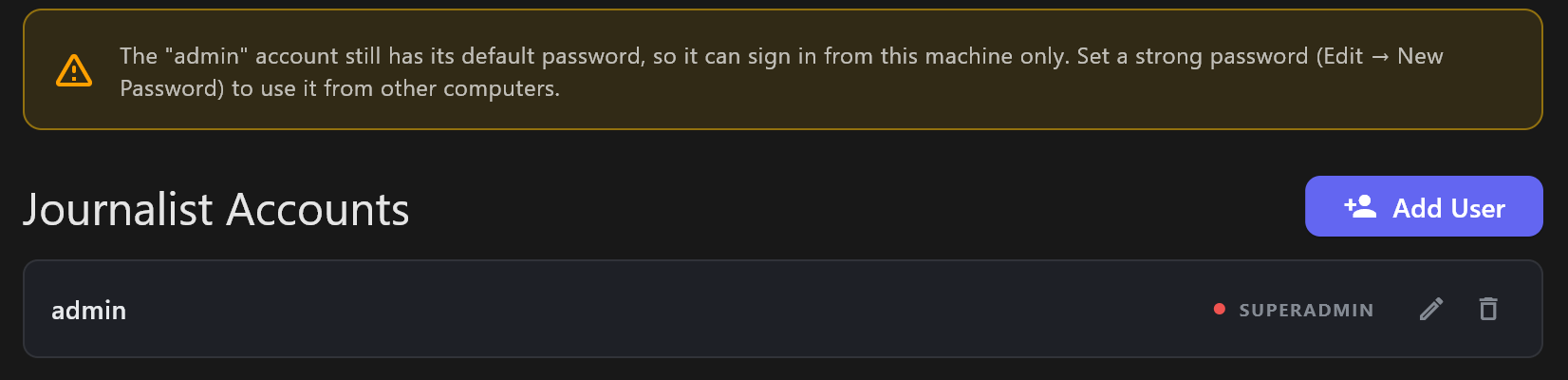
Change the default password first
A new airZ Controller has one account, admin, with the password admin. While it keeps that password, it signs in only on the computer running airZ Controller; from any other computer it is refused. Give it a strong password (edit it, then New Password) to use it elsewhere. airZ Controller shows a warning here, and in User Management in the browser, until you do.
- Add User creates an account: a USERNAME, a PASSWORD and a ROLE, then Create account. The username cannot be changed later.
- The pencil beside an account edits its password and role; the bin deletes it.
- Administrators can also manage accounts from the browser, with Users.
Roles
| Role | May |
|---|---|
| SUPERADMIN | Manage every account, including other administrators. |
| ADMIN | Manage the accounts below administrator. |
| PRODUCER | Build and edit rundowns, items and template values. |
| OPERATOR | Fire graphics to air and run the ticker, without changing the ticker's on-air loop. |
| JOURNALIST | Create and edit rundown items and their template values. |
| BREAKING NEWS | Edit the rundown, and fire only templates the graphics team has approved. |
| GRAPHICS | Upload images and templates, and send templates from airZ Editor. No rundown access. |
| TICKER EDITOR | Approve ticker copy and decide what is in the on-air loop. |
| TICKER WRITER | Submit ticker copy for approval. Never puts anything on air. |
| READ-ONLY | See everything, change nothing. |
Edits from JOURNALIST, PRODUCER and BREAKING NEWS accounts are saved to the rundown, but they do not change an item that is already on air.